3D preview not showing? How to fix "Your browser couldn't start 3D graphics" (WebGL)
The TrailMark3D 3D preview needs WebGL. If it says your browser couldn't start 3D graphics, turn on hardware acceleration in Chrome, Edge, Firefox or Safari, check chrome://gpu, update your graphics drivers, or try another browser.
By Carlo ·
In short
The 3D preview draws your model with WebGL, which uses your computer's graphics card. When the browser can't give the page WebGL, TrailMark3D shows "Your browser couldn't start 3D graphics". Usually hardware acceleration is turned off. Turn it on (in Chrome and Edge, Settings, System, "Use graphics acceleration when available"; in Firefox, Settings, General, Performance), restart the browser and reload the page. If that doesn't help, check chrome://gpu, update your graphics drivers, or try another browser. Your model is still built, and you can download it without the preview.
TrailMark3D shows your model in 3D right after you click Generate. The preview is drawn with WebGL, the part of the browser that uses your computer's graphics card for 3D. When the browser can't give the page WebGL, the 3D viewer shows Your browser couldn't start 3D graphics instead of the model. Most of the time the cause is a single setting: hardware acceleration is turned off. This guide shows how to turn it on in each browser, and what to check if that isn't enough.
Your model is built either way. The 3MF and STL files are made on our servers, so you can download them from the workspace while you fix the preview.
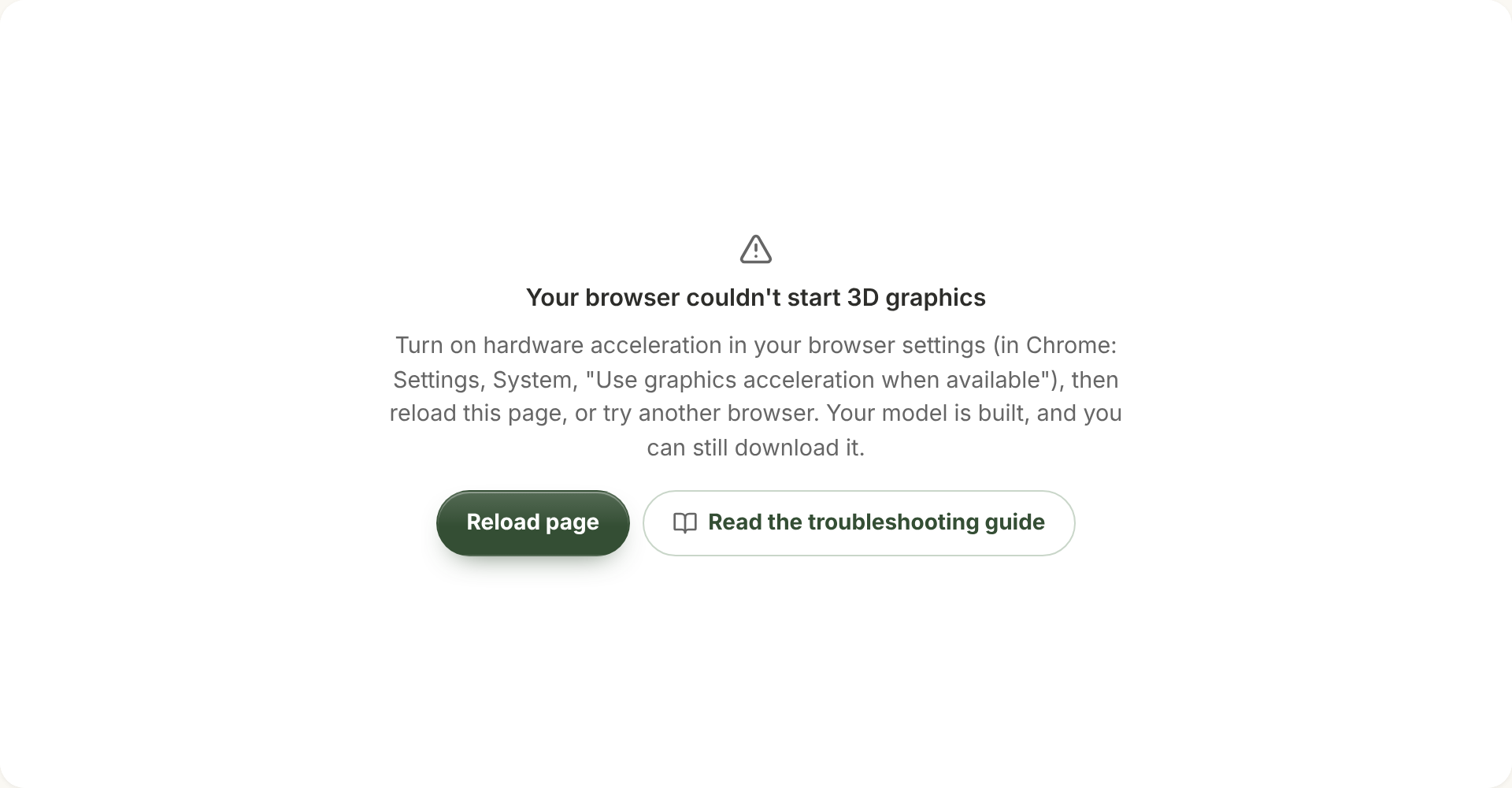
Turn on hardware acceleration in Chrome
Open Chrome's Settings (the three dots at the top right), choose System, and turn on Use graphics acceleration when available. Click Relaunch: Chrome closes and reopens with your tabs. Then reload the TrailMark3D page. You can also type chrome://settings/system into the address bar to go straight to that page.
Turn on hardware acceleration in Microsoft Edge
Open Edge's Settings (the three dots at the top right), choose System and performance, and turn on Use graphics acceleration when available. Click Restart, then reload the page. The address edge://settings/system opens the same page.
Turn on hardware acceleration in Firefox
Open Firefox's Settings (the menu at the top right) and stay on General. Scroll to Performance, untick Use recommended performance settings, and tick Use hardware acceleration when available. Quit Firefox completely, open it again and reload the page.
If the preview still doesn't show, type about:config into the address bar, accept the warning, and search for webgl.disabled. It must be false. Double-click it to change it if it is true.
Check Safari on a Mac, iPhone or iPad
Safari has WebGL on all the time and no hardware acceleration switch. When the notice shows in Safari, the usual cause is Lockdown Mode, which turns WebGL off. You can keep Lockdown Mode and allow TrailMark3D only:
- On a Mac, open Safari, then Settings for trailmark3d.com, and turn off Enable Lockdown Mode.
- On an iPhone or iPad, tap the page settings button in the address bar, then Website Settings, and turn off Lockdown Mode.
Content blockers and privacy extensions that block "WebGL fingerprinting" can also switch WebGL off. Turn them off for trailmark3d.com and reload. If none of this applies, update macOS or iOS: Safari updates with the system.
Check whether WebGL is working with chrome://gpu
In Chrome, type chrome://gpu into the address bar (in Edge, edge://gpu). It has to be typed, a link to it won't open. Under Graphics Feature Status, look at the WebGL and WebGL2 lines:
- Hardware accelerated: WebGL works. Reload the TrailMark3D page; if the notice comes back, see step 7.
- Software only or Disabled: hardware acceleration is off (step 1 or 2), or the browser doesn't trust your graphics driver (step 6).
- Unavailable: WebGL is switched off completely. This also happens on remote desktops and virtual machines that have no graphics card.
The Problems Detected section below it says why a feature is off. If it says the GPU process crashed, quit the browser completely and open it again: after a few graphics crashes, Chrome turns WebGL off until it restarts.
In any browser you can also open get.webgl.org/webgl2. If you see a spinning cube, WebGL 2 works.
Update your graphics drivers and system
Browsers turn off WebGL for graphics drivers that are known to crash, so an old driver can be the cause even with acceleration on.
- Windows: open Settings, Windows Update, Advanced options, Optional updates and install any display driver there, or get the latest driver from NVIDIA, AMD or Intel.
- Mac: open the Apple menu, System Settings, General, Software Update. Graphics drivers come with macOS.
- Chromebook: open Settings, About ChromeOS, Check for updates.
Restart the computer after the update, then try again.
Try another browser or device
If none of the steps above works, open TrailMark3D in another browser: Chrome, Edge, Firefox and Safari all show the preview when WebGL is on. A work or school computer may have WebGL blocked by its administrator, which only they can change. Your saved models are in your account, so you can sign in on another computer or a phone and open them there.
Frequently asked questions
Can I download my model without the 3D preview?
Yes. The 3MF and STL files are built on our servers, not in your browser, so the downloads work even when the preview can't start.
What does "Error creating WebGL context" mean?
It is the browser's own wording for the same problem: the page asked for WebGL and the browser said no. The fixes in this guide apply.
Why did the 3D view stop while I was using it?
The browser reset its graphics, for example after a driver update, waking from sleep, or with many 3D pages open at once. Click Try again in the viewer; your model and settings are kept. If it keeps happening, close other tabs that use 3D and update your graphics drivers.
Does TrailMark3D work without a graphics card?
The website and the downloads do. The 3D preview needs WebGL, which needs a graphics chip the browser can use. Almost every computer, phone and tablet from the last ten years has one, including the graphics built into the processor.