3D print city map generator: make a city model with buildings, streets and water
Turn any city into a 3D printable map with buildings, streets, parks and water. Use City Mode in TrailMark3D to pick building and road styles and a filament color preset, then download a multi-color 3MF.
In short
Search a city on the TrailMark3D home page and keep the area under 10 km across. When the map offers it, click Try City Mode, or pick City Mode under Map Features. Buildings and roads are always on; choose city blocks or individual buildings, real or even heights, the road types, and a color preset such as Terracotta, then Generate 3D Model and download the 3MF. City Mode needs a free account to build and preview; downloading needs Pro, or a new account's first 3 days.
A city map is the most recognisable thing you can 3D print: the grid of streets, the blocks between them, the towers downtown and the line of the shore. TrailMark3D's City Mode builds that from OpenStreetMap and Overture building data, puts it on the real terrain, and paints each feature in its own filament so a multi-color printer prints the whole city in one go. This guide makes a model of downtown San Francisco, from the search to a 3MF.
Open downtown San Francisco in the workspace
Search the city and keep the area small
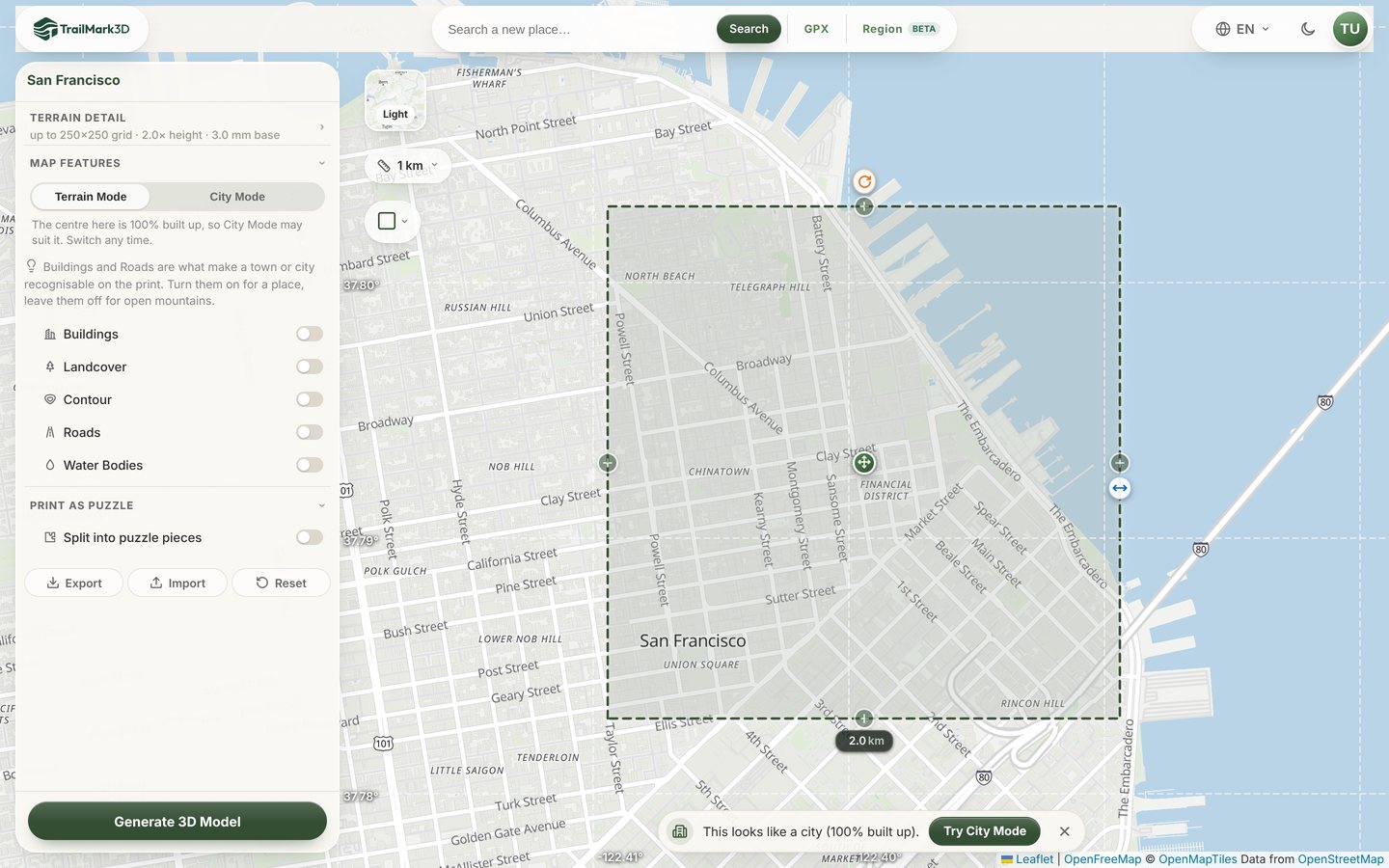
Type the city, a neighborhood or a landmark into the search box on the home page and pick a result, or use the link above. The workspace opens with a square on the map. Make it small: buildings are only built in areas up to 10 km across, and a single building only shows on the print when it is at least a millimeter or two wide. A 2 km square printed at 100 mm is a good start for a downtown, and 4 to 6 km suits a whole old town or an island city. Drag the side handle to resize, or type the width under the square.
Switch to City Mode
TrailMark3D measures how built up the area is. In a city a bar appears at the bottom of the map, "This looks like a city (100% built up)", with a Try City Mode button. Click it, or open Map Features in the settings and pick City Mode next to Terrain Mode. You can switch back any time.
Choose the buildings
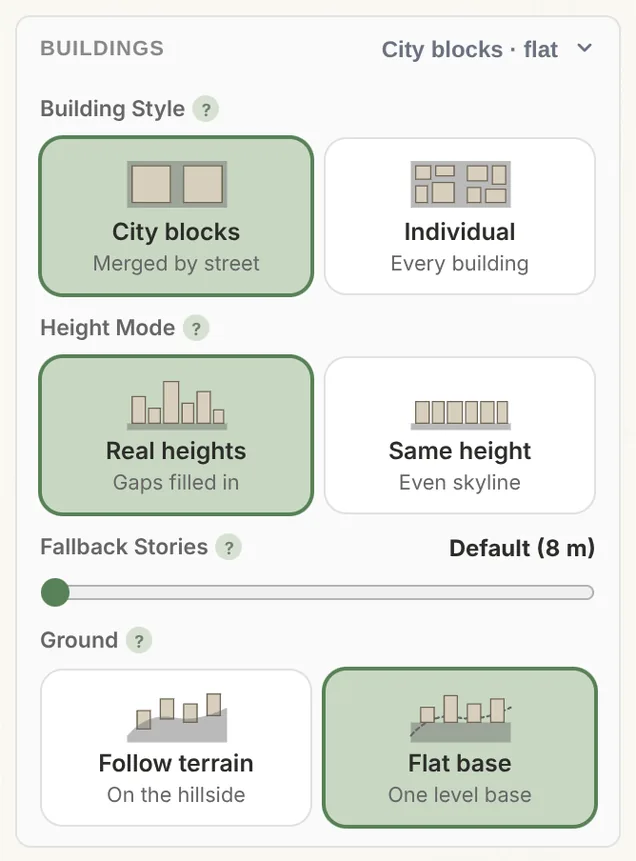
In City Mode, buildings and roads are always on, and the settings turn into cards. Open Buildings:
- Building Style: City blocks merges the footprints into the blocks between the streets, which reads well over a large area. Individual builds every building on its own, best for a small area with towers.
- Height Mode: Real heights keeps every height recorded in the map data and fills the gaps; Same height gives an even skyline, like an architect's massing model.
- Fallback Stories: the height, in floors, for buildings with no recorded height.
- Ground: Flat base sets the whole city on a level platform, so only the buildings rise; Follow terrain keeps the hills, for places like San Francisco or Lisbon where the slope is part of the city.
Choose the roads, parks and water
Open Roads to set how streets print. Road types opens a list of every class, from motorways to footways, rail, ski runs and lifts, each with its own switch and color. Paths & trails adds footways and cycleways, Min Road Size drops narrow streets, and Road Height and Road Width set how much the streets stand out (0.4 mm, one nozzle line, is the default). City Features raises built-up blocks, parks, forests, golf courses and beaches as low pads in their own colors, and Water Bodies carves the sea, lakes and rivers.
Pick a color preset
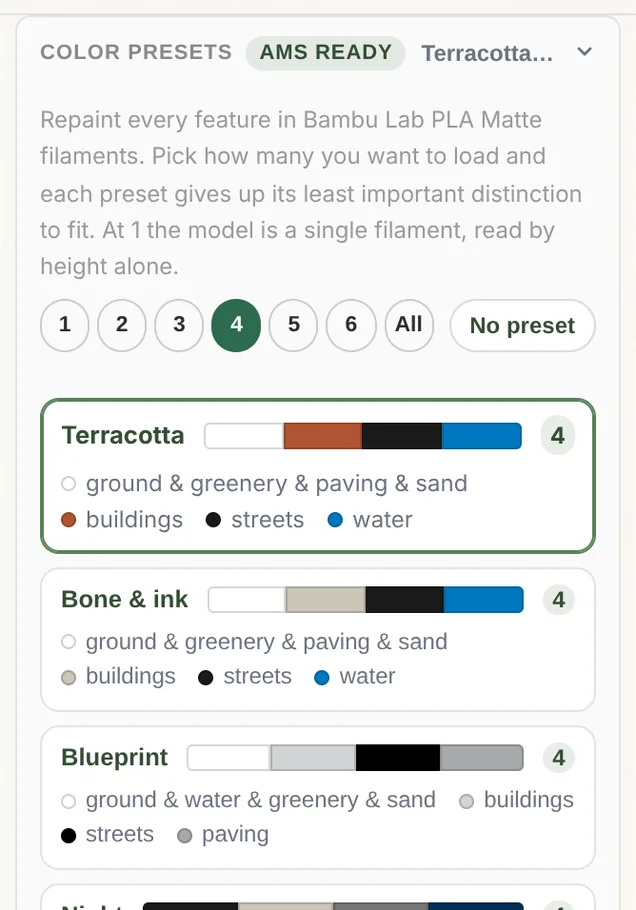
Under Color presets, pick how many filaments your printer holds, from 1 to 6, and a palette: Terracotta (clay buildings on a pale ground), Bone & ink, Blueprint, Night, Parkland or Open country. Every preset uses Bambu Lab PLA filaments and is ready for an AMS. With fewer colors, each preset merges its least important features first, and at 1 color the model reads by height alone. Click a color band to swap in your own filament.
Generate and download
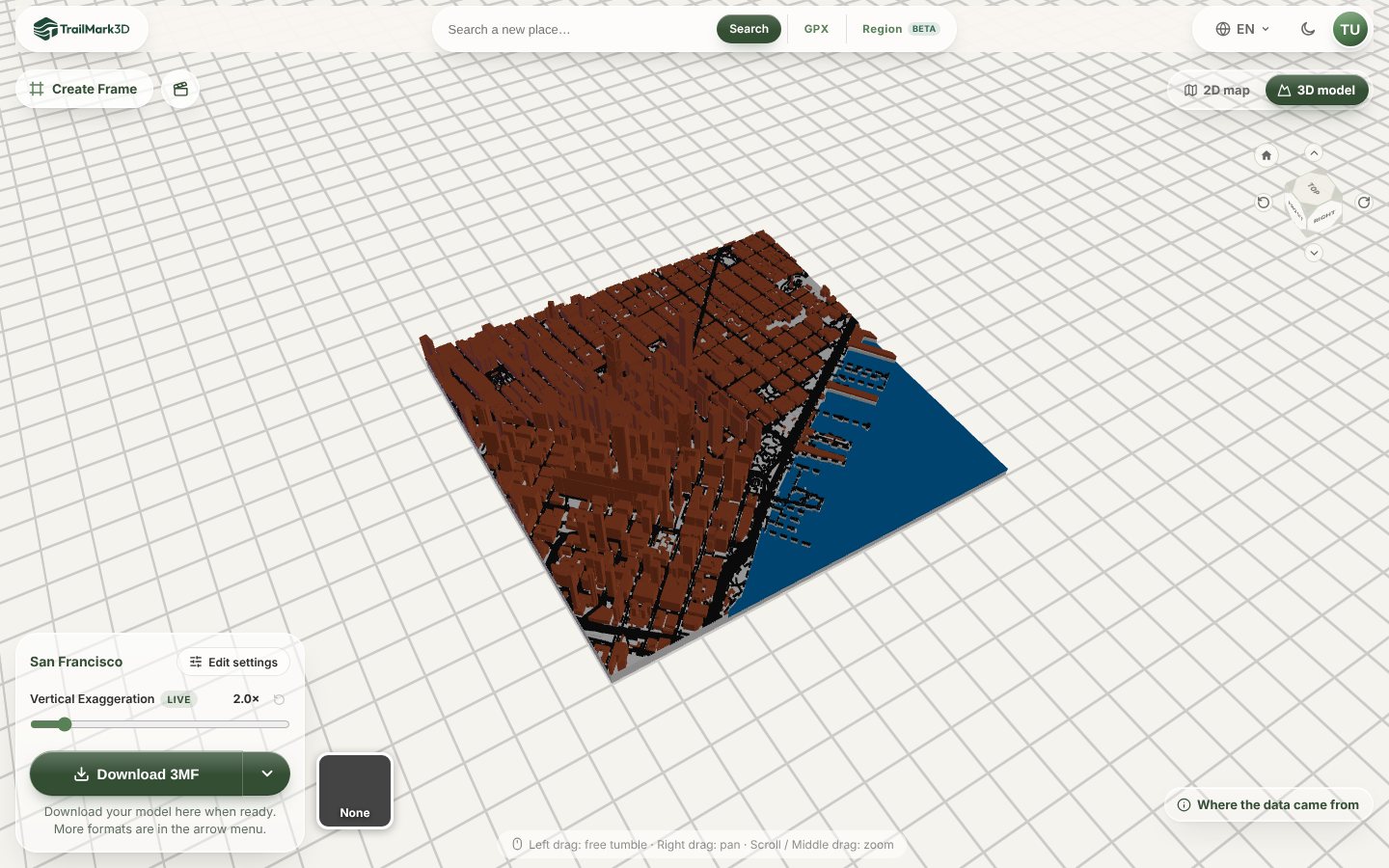
Click Generate 3D Model. A 2 km downtown with buildings, streets and water builds in about a minute. Turn it in the 3D viewer, try the live Vertical Exaggeration, then click Download 3MF: every color is its own part, already assigned, so the slicer opens it ready to print. Print it flat at 0.2 mm layers or finer; the streets are only a couple of layers tall.
Frequently asked questions
Is City Mode free?
You can build and preview a City Mode model for free with a free account, as often as your 5 models a day allow. Downloading it needs Pro ($10 a month), which also allows commercial use. Every new account can download City Mode models for its first 3 days, as part of the free trial. Without an account, City Mode asks you to sign up. See pricing.
How big can a 3D printed city map be?
Buildings are built in areas up to 10 km across. Past that, an average building would print smaller than a nozzle line. For a bigger city, print the center at 2 to 6 km, or print several tiles side by side.
Where does the building data come from?
From Overture Maps and OpenStreetMap. Most buildings have a footprint, but on a typical city tile about two thirds have no recorded height, so they get the Fallback Stories height. Real heights keeps every surveyed tower as it is.
Can I make a 3D printed city map with a single color printer?
Yes. Set the color budget to 1 and the model prints in one filament, read by the heights of the buildings, pads and streets. You can also print with 2 colors and swap filament at a layer.
How is TrailMark3D different from other city map generators like Map2Model or MiniSkyline?
TrailMark3D builds the city on real terrain, with water, parks and every road class as separate parts, and gives you filament presets for multi-color printers, all in the browser. The same workspace also makes terrain maps of any place, trail maps from a GPX and jigsaw puzzles.
Why are some buildings missing?
Either the map data has no footprint for them, or Clear buildings on roads (under Roads) removed buildings that overlap a street. It is off by default. In Terrain Mode, buildings are only kept inside large urban areas, so switch to City Mode to build all of them.