3D printed map puzzle: turn any trail or place into a topographic jigsaw
Make a 3D printed topographic map puzzle of your trail or any place. Cut the terrain into interlocking jigsaw pieces, set the fit, and download a 3MF with every piece ready to print.
In short
Open a GPX or search a place in TrailMark3D, switch on Split into puzzle pieces in Print as Puzzle, and pick the columns and rows (or rings for a round tile) while the cut is drawn on the map. Generate the model, check the pieces in 3D, and download a 3MF where every piece is its own object. A free account cuts up to 6 × 6 pieces; Pro goes to 28 × 28.
A topographic puzzle is a 3D map you take apart: the mountains, valleys and your trail are cut into interlocking pieces that slide back together. TrailMark3D cuts any model it builds, from a GPX route or from a place you search, into a jigsaw with tabs that lock, and gives every piece its own object in the 3MF so your slicer lays them out for you. This guide makes a puzzle from start to finish, with the cut on the map, the pieces in 3D and the settings that make them fit.
Open the puzzle settings on the sample trail
Open a trail or a place
Upload a GPX on the TrailMark3D home page, or type a place into the search box: a mountain, a national park, an island or a city. The workspace opens with the map on the right and the settings on the left. Pick the tile shape on the map now, because it decides the kind of cut: a square can be cut as a grid or as rings, and a circle, hexagon, octagon or rectangle is cut as rings.
Switch on Split into puzzle pieces
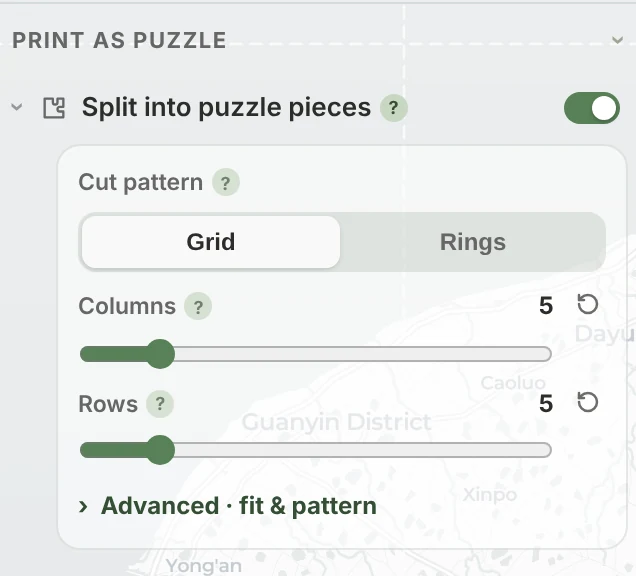
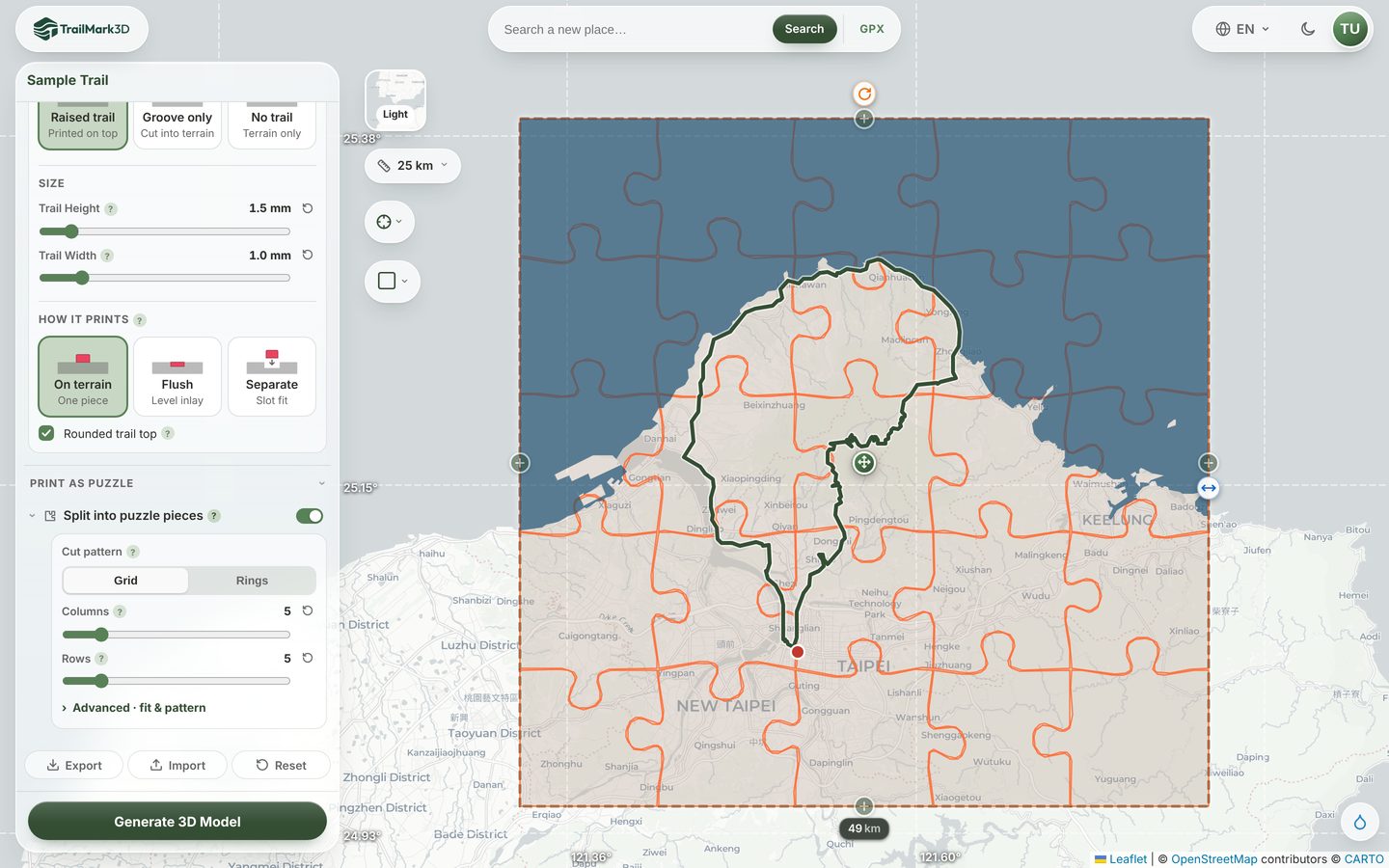
Scroll the settings to Print as Puzzle and tick Split into puzzle pieces. The cut appears on the map straight away, as lines over the tile, and moves with the tile when you drag or resize it.
Choose how many pieces
For a grid, set Columns and Rows: 4 × 4 makes 16 pieces, 6 × 6 makes 36. For rings, set Rings: the pieces are hexagons around a center one, 3 rings make 19 pieces and 4 rings make 37. A free account goes up to 6 × 6 or 3 rings; Pro goes up to 28 × 28 or 8 rings. More pieces take longer to cut and make a harder puzzle, and very small pieces get fiddly to print.
Set the fit and the pattern
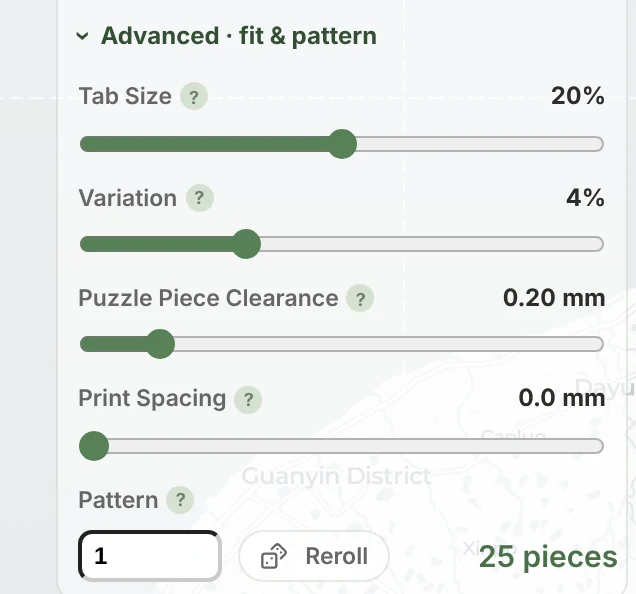
Open Advanced · fit & pattern for the details. Tab Size sets how big the jigsaw knobs are, from subtle bumps at 10% to classic tabs at 30%. Variation makes each tab a little different, for a hand-cut look. Puzzle Piece Clearance is the gap between pieces: the default 0.2 mm fits most FDM printers, and 0.3 mm is looser if your pieces print tight. Print Spacing spreads the pieces apart on the build plate, and Pattern with Reroll gives a new arrangement of tabs with the same pieces.
Generate and check the pieces in 3D
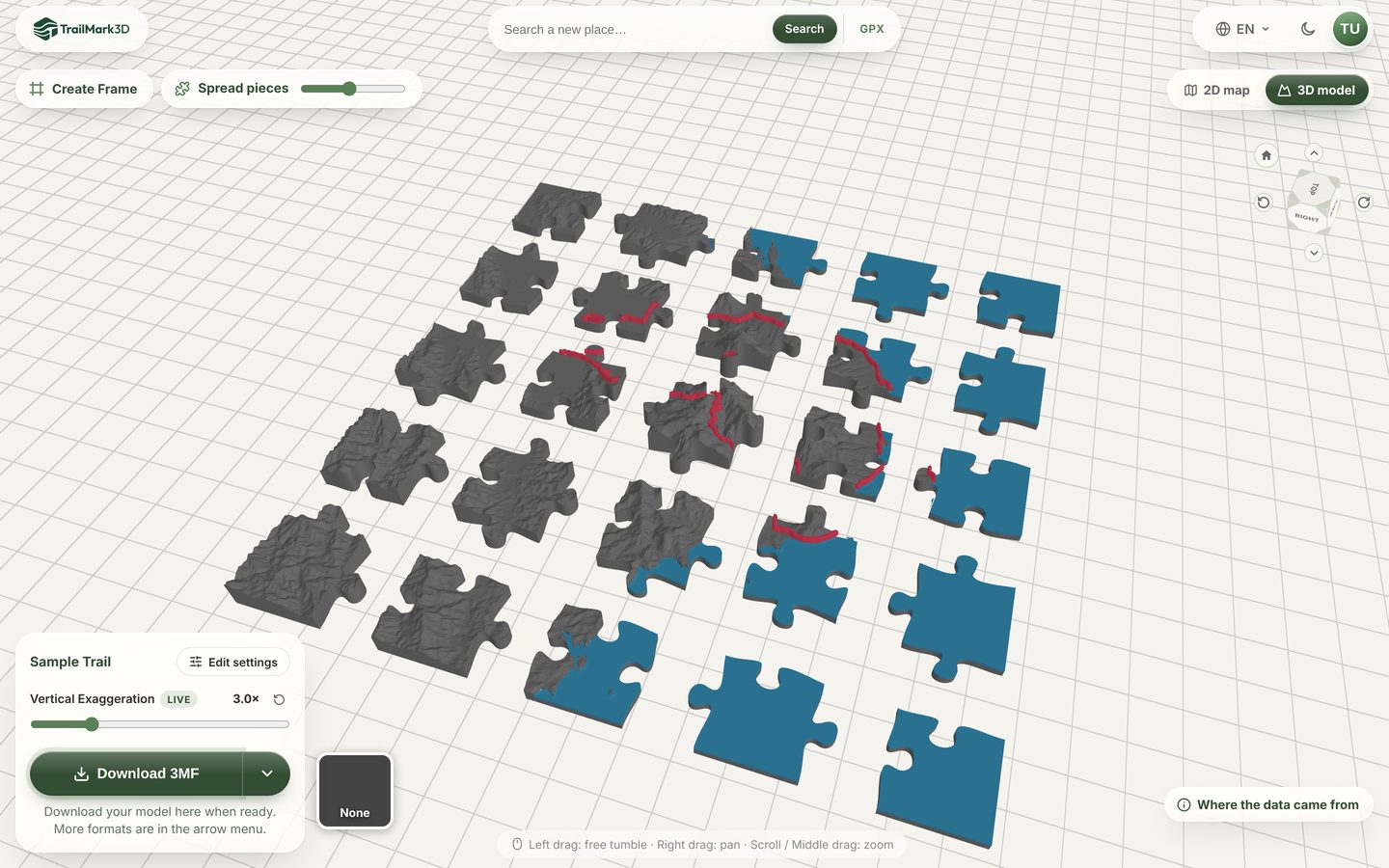
Click Generate 3D Model. The terrain is built and then cut, so a puzzle takes a little longer than a plain model. In the 3D viewer, Spread pieces pulls the pieces apart so you can look at each one; double-click to put them back. The 3MF download keeps the spread you set.
Download the 3MF and print
Click Download 3MF. Every piece is its own object, with its colors, so Bambu Studio, OrcaSlicer and PrusaSlicer place them on the plate one by one. Print flat with no supports. The pieces slide together from above, and the curved tabs keep them from pulling apart sideways. For a box to keep it in, Create Frame at the top of the 3D view designs a tray sized to the assembled puzzle.
Frequently asked questions
Is the puzzle free?
Yes, with a free account. The Free plan cuts up to 6 × 6 pieces (36) or 3 rings (19), and every new account gets 28 × 28 for its first 3 days. Pro ($10 a month) cuts up to 28 × 28 pieces or 8 rings. Signed-out visitors can build the model but need a free account to cut it. See pricing.
How many pieces can a 3D printed map puzzle have?
Up to 784 on Pro (28 × 28) and 36 on the Free plan (6 × 6). With rings it is 3r² − 3r + 1 pieces: 19 for 3 rings, 37 for 4 and 169 for 8.
Will the pieces fit together after printing?
Yes, at the default 0.2 mm clearance on most FDM printers. If your printer makes them too tight, raise Puzzle Piece Clearance to 0.3 mm before you download; if they are loose, lower it. At 0 mm the pieces can fuse together while printing.
Can I make a world map puzzle or a puzzle of a country?
Yes. Search the place and frame it in the tile. The Free plan covers areas up to 200 km across and Pro up to 500 km, enough for an island, a national park or a small country. Over a large area the relief is low, so raise the vertical exaggeration in Terrain Detail to keep the mountains readable.
Can the puzzle have my trail and water in color?
Yes. A raised or carved trail is cut with the terrain, so each piece carries its own stretch of trail, and the water and terrain keep their colors on every piece. A trail printed as a separate slot-fit piece (see Trail settings) stays one whole ribbon beside the puzzle.
Can I make a puzzle with buildings or in City Mode?
Not yet. Buildings and the jigsaw can't be combined, so the puzzle is switched off in City Mode and asks you to turn buildings off first.