Multi-day hike 3D print: turn every day of a trek into its own 3D map tile
3D print a multi-day hike, a stage race or a triathlon with TrailMark3D. Drop one GPX file per day, print each day as its own tile at full size or the whole trip on one map, give every day its own trail color, and download each day or all of them as a ZIP.
In short
On the TrailMark3D home page, select all your GPX files at once, one per day or leg. Check the day order, then pick A model per day (one tile per day at full print size, laid out at its real position) or All days on one map. Click Generate, then Build the remaining days in the workspace; each day gets its own trail color, which you can change in the day list. View the days assembled in 3D, and download each day's 3MF or STL, or All 3MF as a ZIP. Multi-day trips need Pro (up to 7 days) or Pro Plus (up to 60 days, with a trail color per day).
A long trek is rarely one GPX file. Most watches and apps save one activity per day, and a stage race or a triathlon has one per stage or leg. TrailMark3D takes all of them at once and turns the trip into 3D printed tiles: one per day at full size, laid out where each day really was, or the whole route on one map with each day in its own color. This guide prints the last four days of the West Highland Way in Scotland, from Tyndrum across Rannoch Moor and the Devil's Staircase to Fort William below Ben Nevis.
Select all your GPX files at once
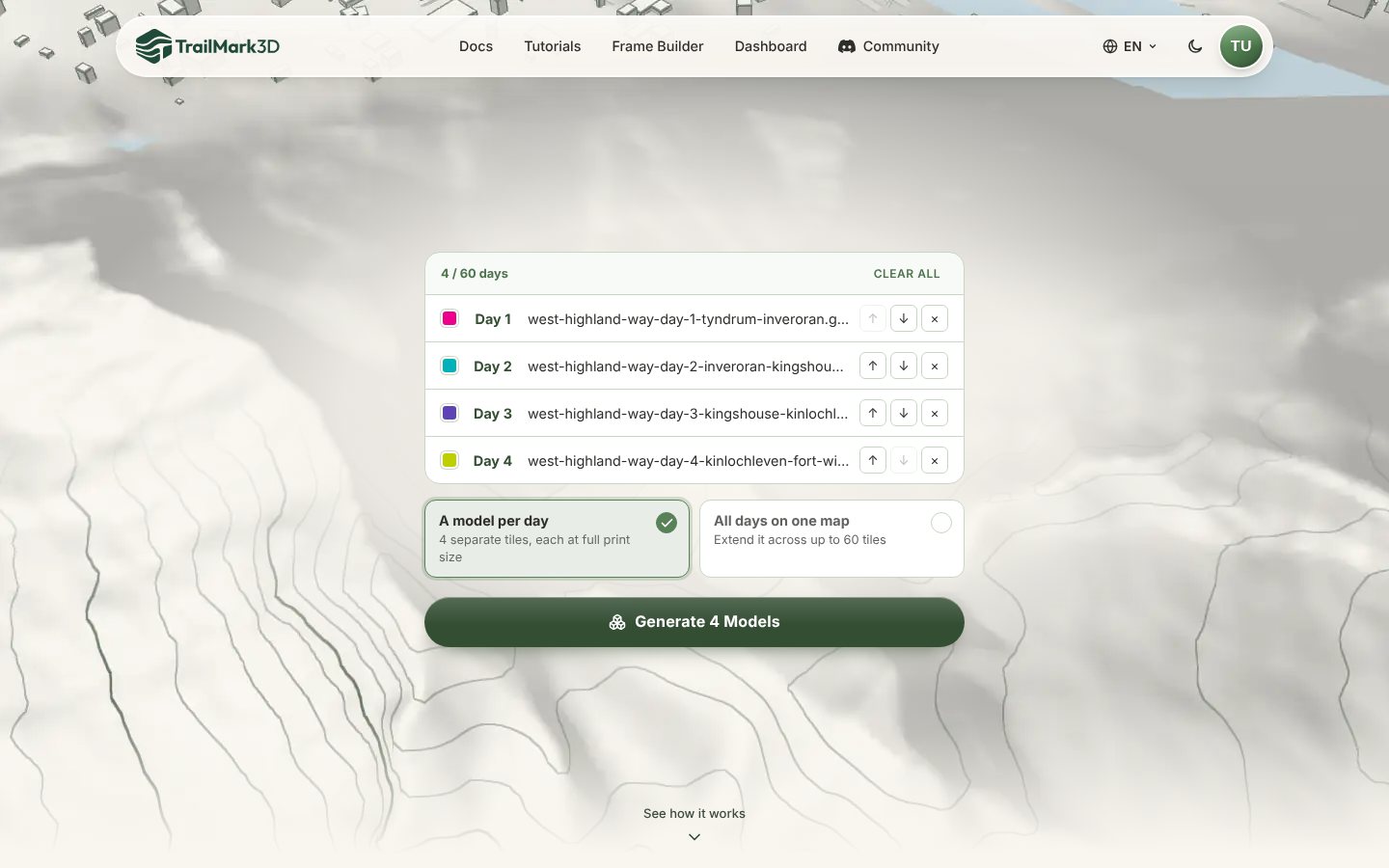
Export one GPX per day from Strava, Garmin Connect, Komoot or your watch (how to export a GPX). On the TrailMark3D home page, click Upload GPX and select every file in one go, or drag them onto the page together. A list opens with one row per day, in the order of the files: use the arrows to reorder the days, the × to drop one, and Clear all to start again. The color square in each row is that day's trail color.
Choose a model per day or all days on one map
Under the list, pick what to build:
- A model per day makes one tile per day, each at your full print size and placed at its real-world position. Each day prints as its own model, so a long day doesn't shrink the others.
- All days on one map puts the whole trip on one model, with each day kept as its own trail and no line drawn across the gaps between them. When the trip outgrows one tile, you can add tiles around it.
Click Generate 4 Models (or the button for your choice).
Check the days on the map
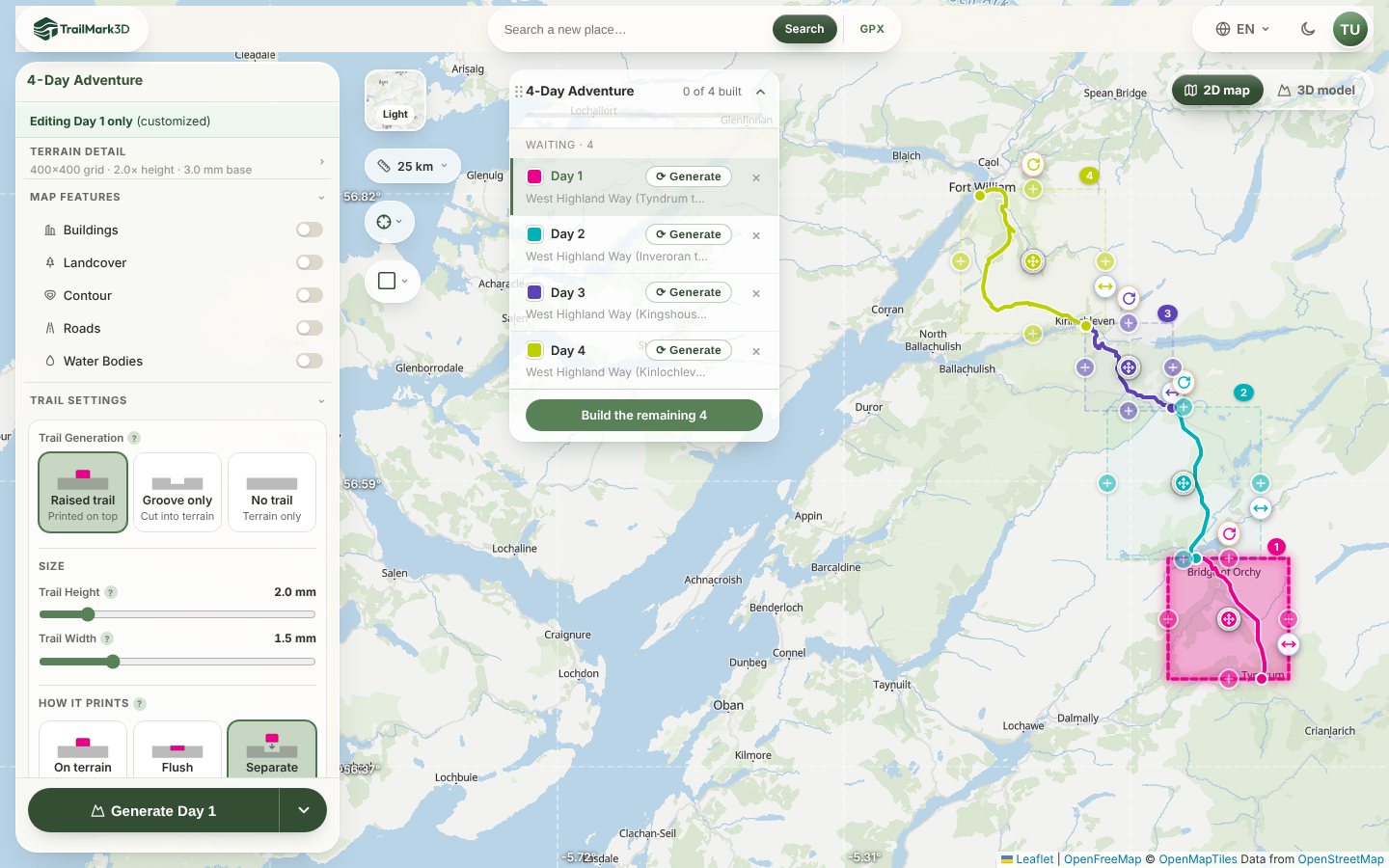
The workspace opens with every day on the map, each in its own tile and trail color, and a day list with the build status of each one. Click a day to edit it: each day keeps its own center, size and rotation, and the panel says which day you are editing. Terrain Detail and Trail Settings apply to the day you are on. Click a day's color square to change its trail color.
Build every day
Click Generate on a day to build just that one, or Build the remaining 4 to build them all. Days build one after another, and the list shows each one as it finishes. You can keep editing the others while one builds.
View the trip assembled in 3D
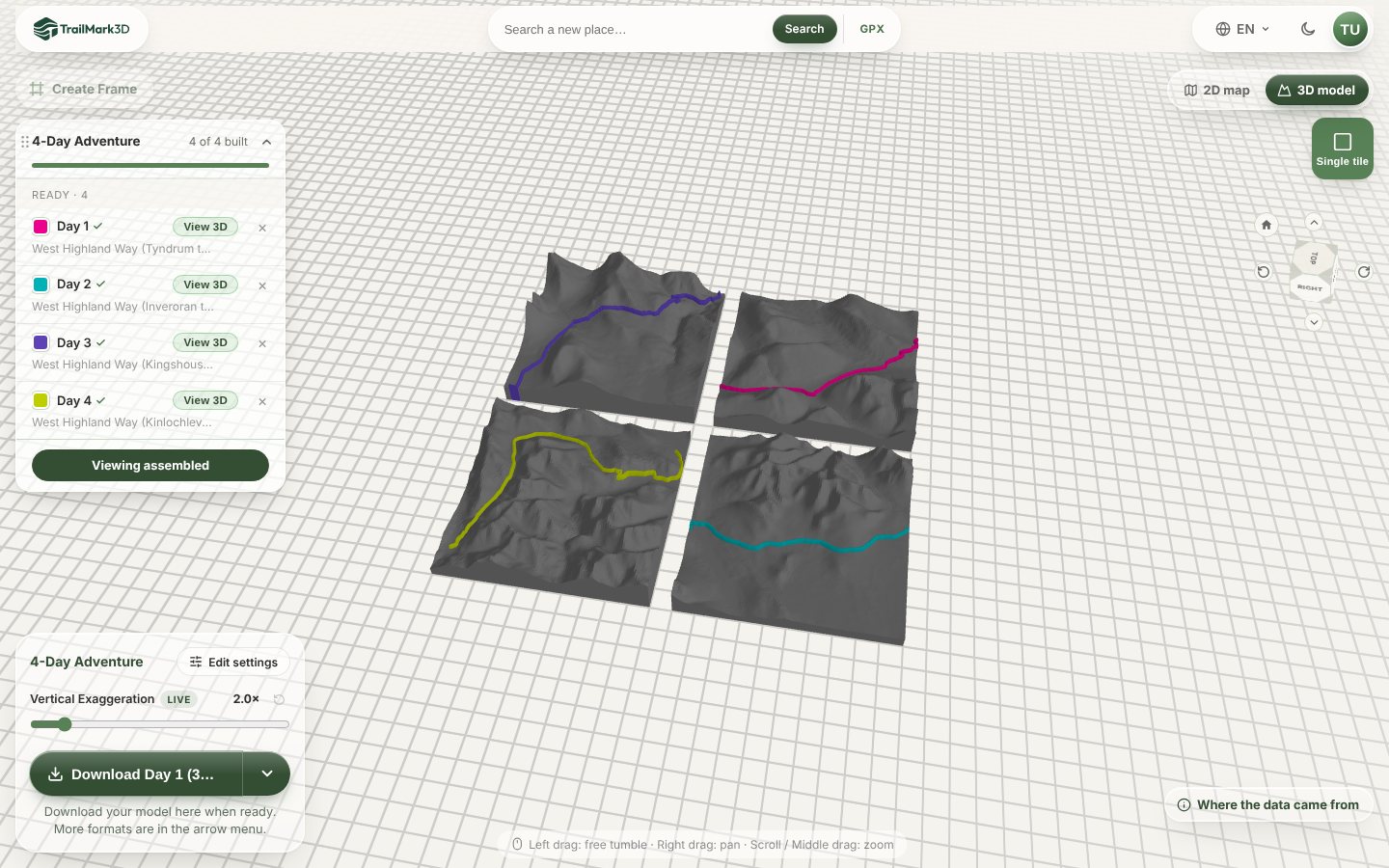
Switch to 3D model. View assembled shows every built day together, and View 3D on a day opens it alone in full detail. Turn the model to check that each day's trail sits where you expect, and adjust the Vertical Exaggeration with the live slider: the Highlands print well at 2×.
Download each day or the whole trip
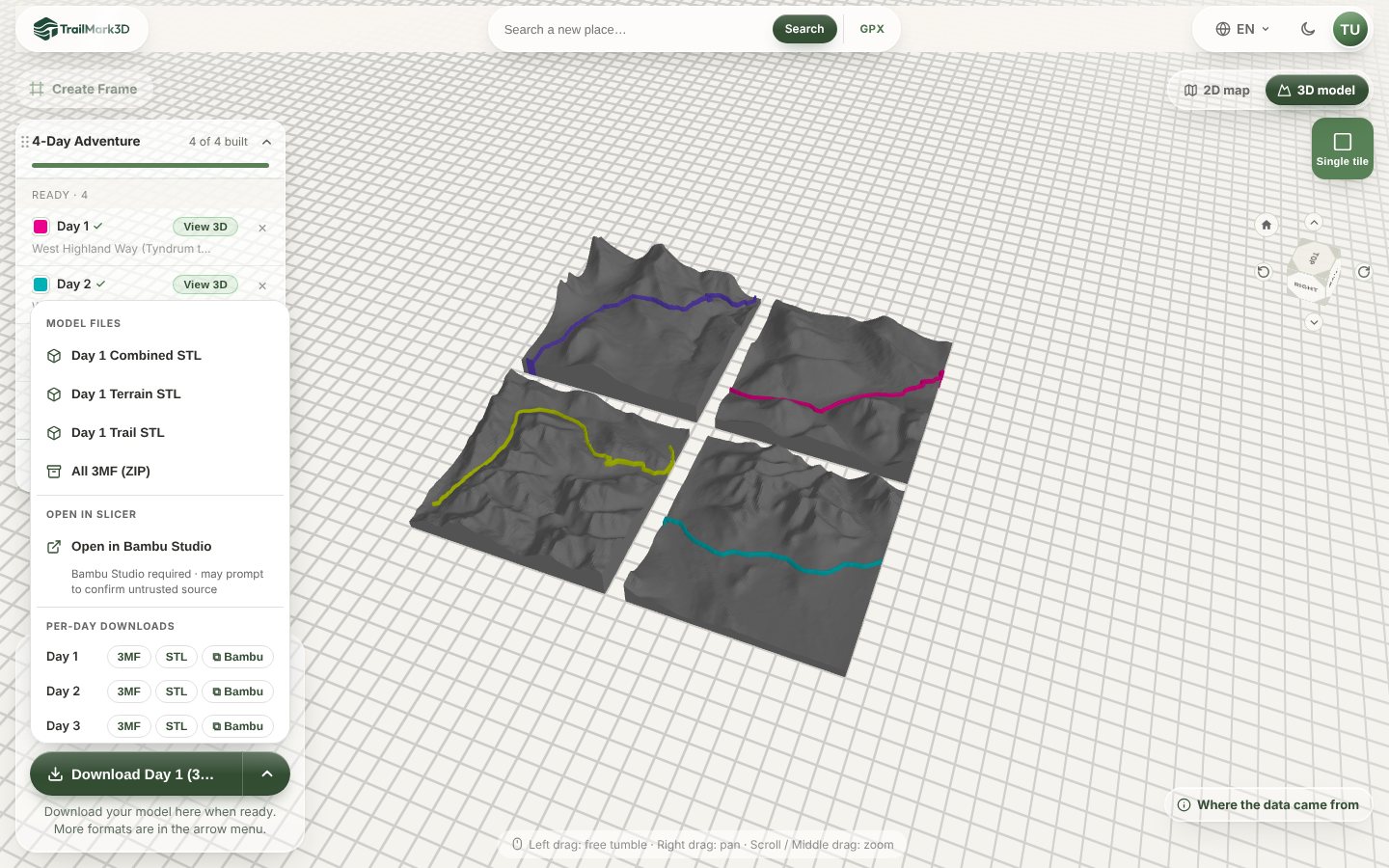
Open the arrow next to the download button. Per-Day Downloads lists every day with its own 3MF, STL and Bambu buttons, so you can print one day at a time, and All 3MF (ZIP) downloads every built day in one ZIP. Print each tile flat with no supports. A frame per day with the stage name and date makes a set for the wall.
Frequently asked questions
Is it free?
Multi-day trips need Pro ($10 a month), which builds up to 7 days, or Pro Plus ($15 a month), which builds up to 60 days and gives each day its own trail color. A free account can still print every day as a separate single-day model, up to 5 models a day, with STL and 3MF downloads for personal use. See pricing.
How many days can I upload?
Between 2 and 7 GPX files on Pro, and up to 60 on Pro Plus, selected at once. A trip longer than that can be split into several trips.
Should I print one tile per day or all days on one map?
One tile per day keeps every day at full size and detail, and makes a set. All days on one map shows the whole route at once and is the better choice when the days overlap, loop back, or are short.
Can I give each day its own color?
Yes, with Pro Plus. Click the color square next to a day, in the upload list or in the workspace, to pick its color. Each day's trail is its own part in the 3MF, so each takes its own filament.
Can I add landcover or roads to a multi-day trip?
Not yet. Landcover, Roads, satellite colors and the rectangle shape work on single-day models only for now. Water Bodies, contour lines and every terrain and trail setting work on each day.
Does it work on a phone?
Multi-day trips need a desktop browser. On a phone, the upload keeps the first file and builds it as a single-day model.