3D printed state or country map: print a whole country, state or region in relief
Make a 3D printed relief map of a whole state or country, cut to its real border. Pick a region in TrailMark3D, let it split into plates that fit your printer, and download each plate as a 3MF.
In short
Open Print a region on the TrailMark3D home page, point at a country or a US state and click it, or search for it. Anything wider than one plate is split into the fewest plates that cover it; set the ground per plate and the printed size, leave out plates or far-off islands, then click Prepare and generate the plates. Regions are a Pro Plus feature ($15 a month): free accounts preview up to 4 plates and Pro up to 12, and Pro Plus builds and downloads up to 60.
A relief map of your state or country, cut to its real border, is one of the most striking things a 3D printer can make, and one of the hardest to set up by hand: a whole country needs elevation data for hundreds of kilometers, an exact border, and a way to split it into pieces that fit on a print bed. TrailMark3D's Regions do all three. You pick the region, it is split into plates that line up edge to edge, and each plate comes out as a terrain model cut to the outline. This guide prints Colorado and shows how Japan splits into plates.
Open Print a region
On the home page, click Print a region, or click Region in the search bar of the workspace. A world map opens with the region picker on the left. Point at a country to see its outline, and click it to select it. You can also type a country or a US state into the search box.
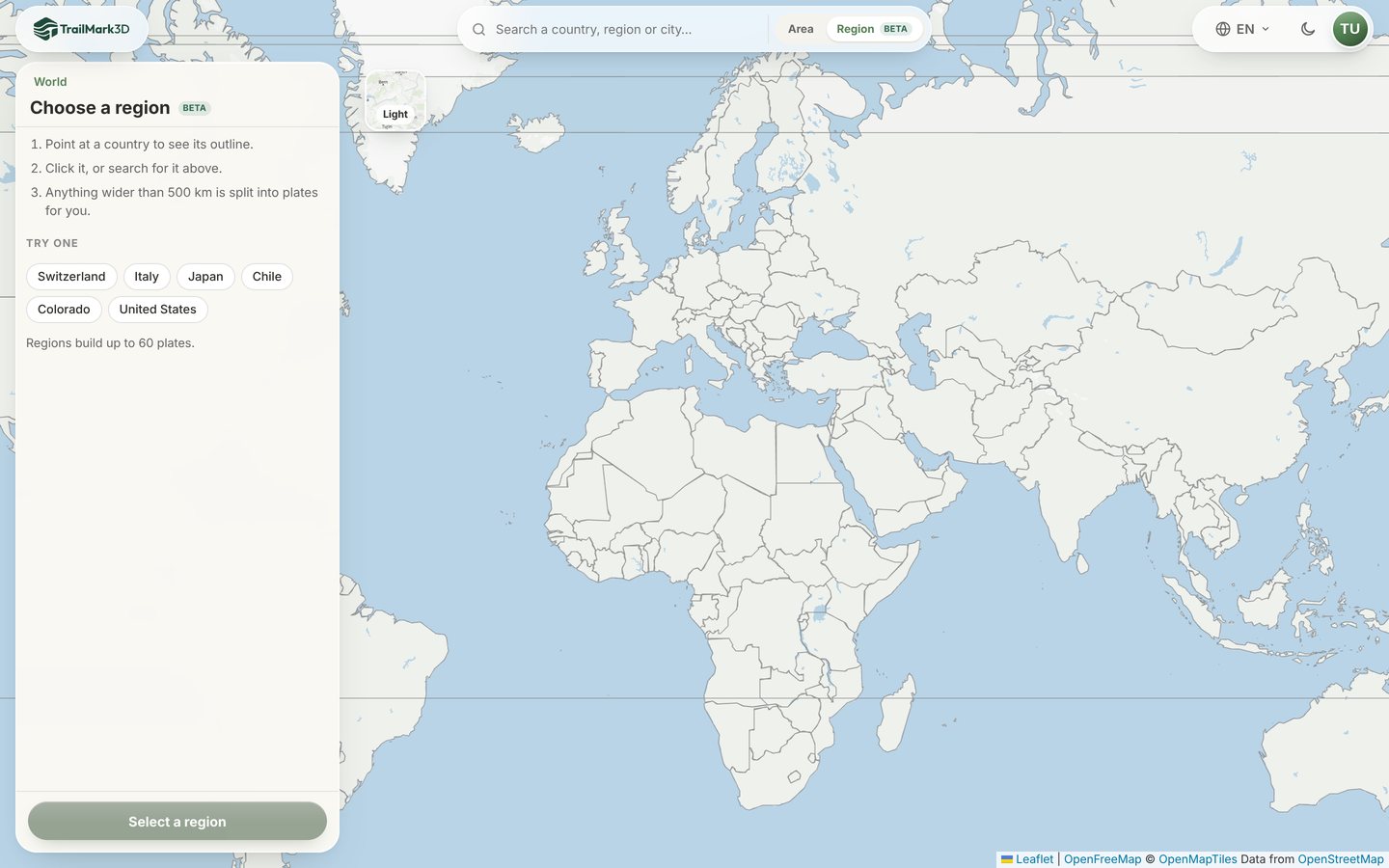
Pick a country or a state
Click a quick pick like Colorado or Japan, or click the region on the map. A box asks you to confirm, with the region's size and about how many plates it needs: "Select Colorado? 622 × 451 km. Larger than one plate, so it will be split into about 2 plates." Click Select. For a US state, click United States and then Choose a state instead, and point at the state. The exact border loads from Overture Maps; the first time anyone opens a region it can take a minute, and after that it opens instantly.
Check the plates
TrailMark3D covers the region with the fewest square plates that fit it, each up to 500 km of ground, and numbers them on the map. The panel shows the number of Plates, the Assembled size of the finished map and the Build time. Japan, 2,083 × 2,358 km, becomes 10 plates and a 1.0 × 1.0 m map when assembled.
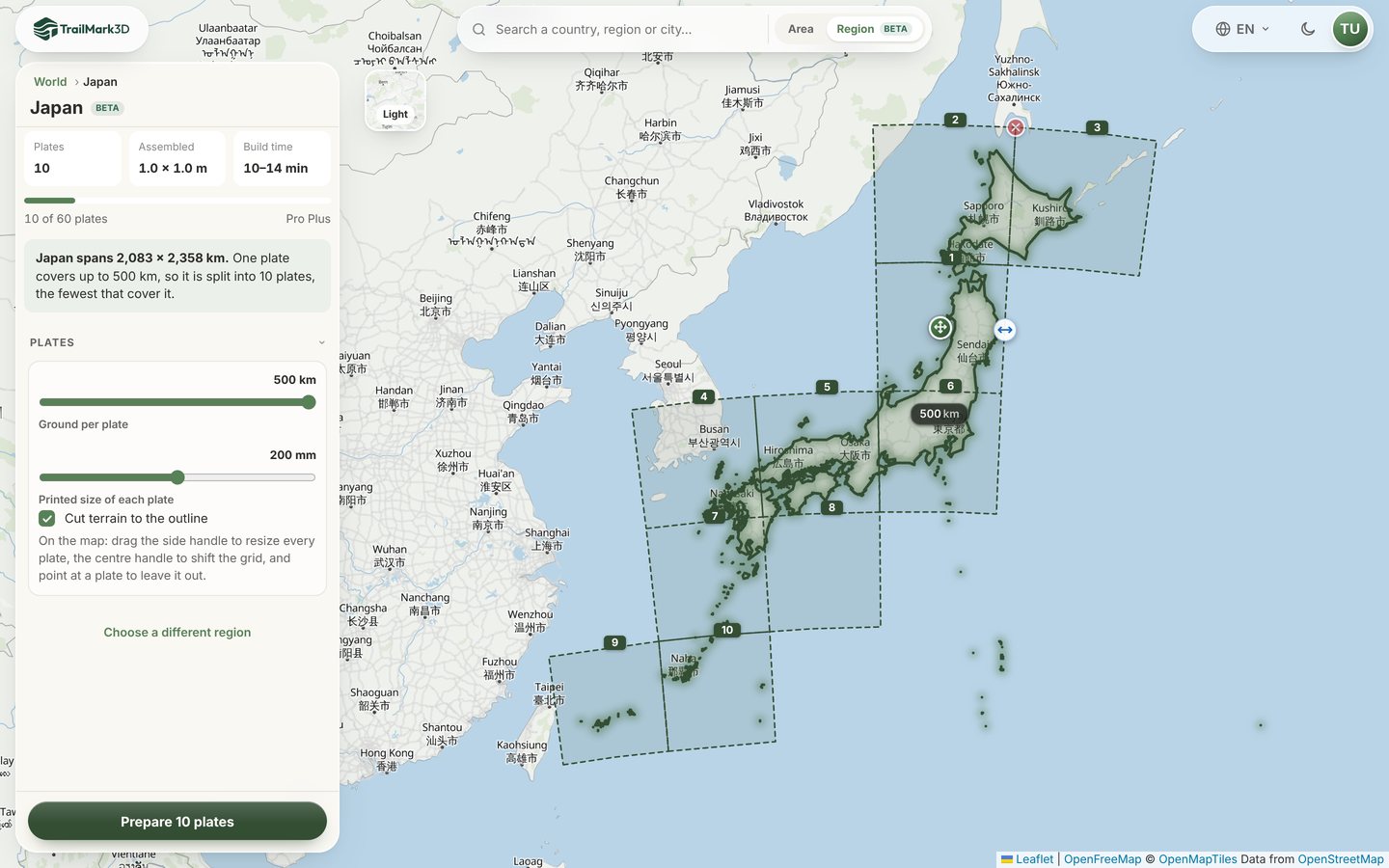
Size the plates
Under Plates, Ground per plate sets how much land each plate covers: smaller plates mean more detail and more plates. Printed size of each plate sets its side, from 100 to 300 mm; pick what fits your print bed. Cut terrain to the outline trims the land to the border, so the map stops at the coast and the border instead of at the plate's edge. On the map, drag the side handle to resize every plate, drag the center handle to shift the whole grid, and point at a plate and click its ✕ to leave it out, for example one that only holds a few rocks. Far-off islands and exclaves are listed under Far-off parts and left out by default; switch one on to give it its own plates.
Prepare and generate
Click Prepare N plates (the button counts them, so Colorado says Prepare 2 plates). TrailMark3D fetches the terrain for each plate, cuts it to the outline and opens the workspace with the plates on the map. The settings work as for any model: Terrain Detail sets the vertical exaggeration (2× to 4× suits most countries, because their relief is small next to their size), and Water Bodies and Landcover add color. Buildings are off for regions, since a plate covers 40 km or more. Click Build the remaining 2 in the Plates list to build the plates one after another, or Generate Plate 1 to build just one. A plate takes about a minute; you can close the window and find the job in your dashboard later.
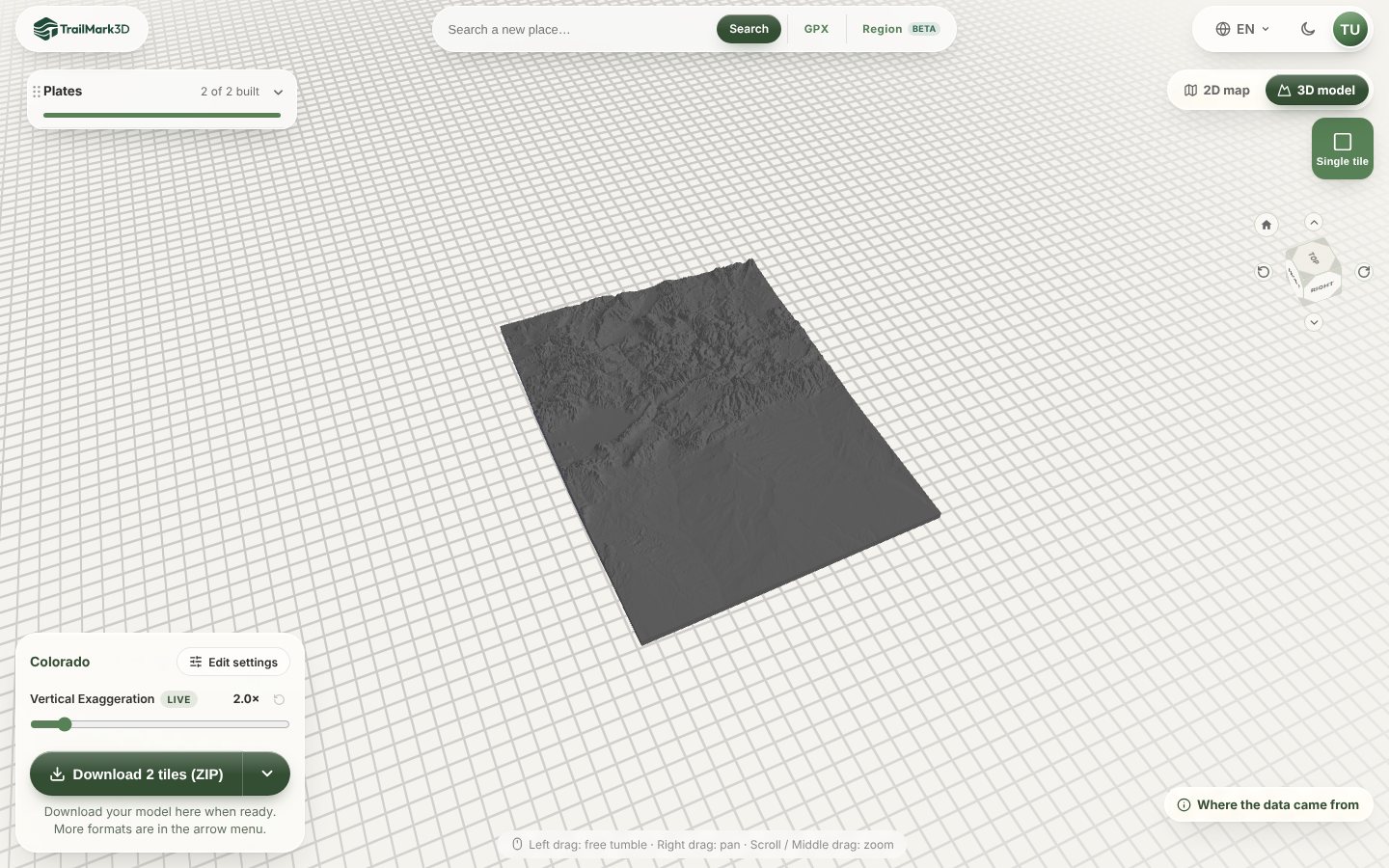
Download and print the plates
When every plate is built, click View 3D Model, then Assembled at the top of the 3D viewer to see the whole map put together, as in the picture above. Click Download 2 tiles (ZIP) to get every plate as a 3MF in one ZIP, or pick a plate in the Plates list and download just that one. Print each plate flat with no supports and line them up by their numbers. Plates share the same scale and base height, so neighbors meet edge to edge. STL vs 3MF has slicer settings for terrain.
Frequently asked questions
Is it free?
You can preview a region with a free account, up to 4 plates, and with Pro up to 12. Building past that and downloading a region need Pro Plus ($15 a month), which prints regions of up to 60 plates, enough for a whole US state or most countries. Without an account, the picker asks you to sign in to preview. For a smaller area, such as a single mountain or island, a 3D map of any place works on every plan, free included. See pricing.
Can I 3D print a map of the whole United States?
Yes. The contiguous United States spans 4,589 × 2,914 km, which makes 48 plates of 500 km and a map about 2.0 × 1.2 m. Alaska (+19 plates) and Hawaii (+2) are listed under Far-off parts and left out unless you switch them on. A single state, like Colorado, is a few plates and makes a good first project.
How big is the finished map?
The plate grid's width and height in plates, times the printed size of each plate. The panel shows it as Assembled. Japan's 10 plates at 200 mm, in a 5 × 5 grid with the empty sea left out, assemble to about 1.0 × 1.0 m. Change Printed size of each plate to fit your print bed or your wall.
Which regions can I pick?
Every country and territory, and every US state. Borders come from Overture Maps divisions. National parks and mountain ranges are not divisions, so for those use a 3D map of any place and frame the area yourself.
Does it work with a puzzle?
Yes. Switch on Split into puzzle pieces in the workspace before generating: all plates make one puzzle, tabs lock across the seams, and each plate prints its own pieces. See 3D printed map puzzle.