Contour map 3D print: topographic contour lines and elevation color bands
Add topographic contour lines and elevation color bands to a 3D printed map in TrailMark3D. Choose the number of lines, their width and color, tint the terrain by height, and download a multi-color 3MF.
In short
Open a mountain or any place in TrailMark3D, switch on Contour under Map Features and pick a style. Lines draws topographic contour lines in one color, Bands tints the terrain by elevation, and Both puts the lines on the tints. Choose how many lines (8 to 30), their width (0.4 mm and up) and color, or how many bands (2 to 8) and their colors, then Generate 3D Model and download the 3MF. Contour lines are free and don't count toward your print colors; each band is one print color.
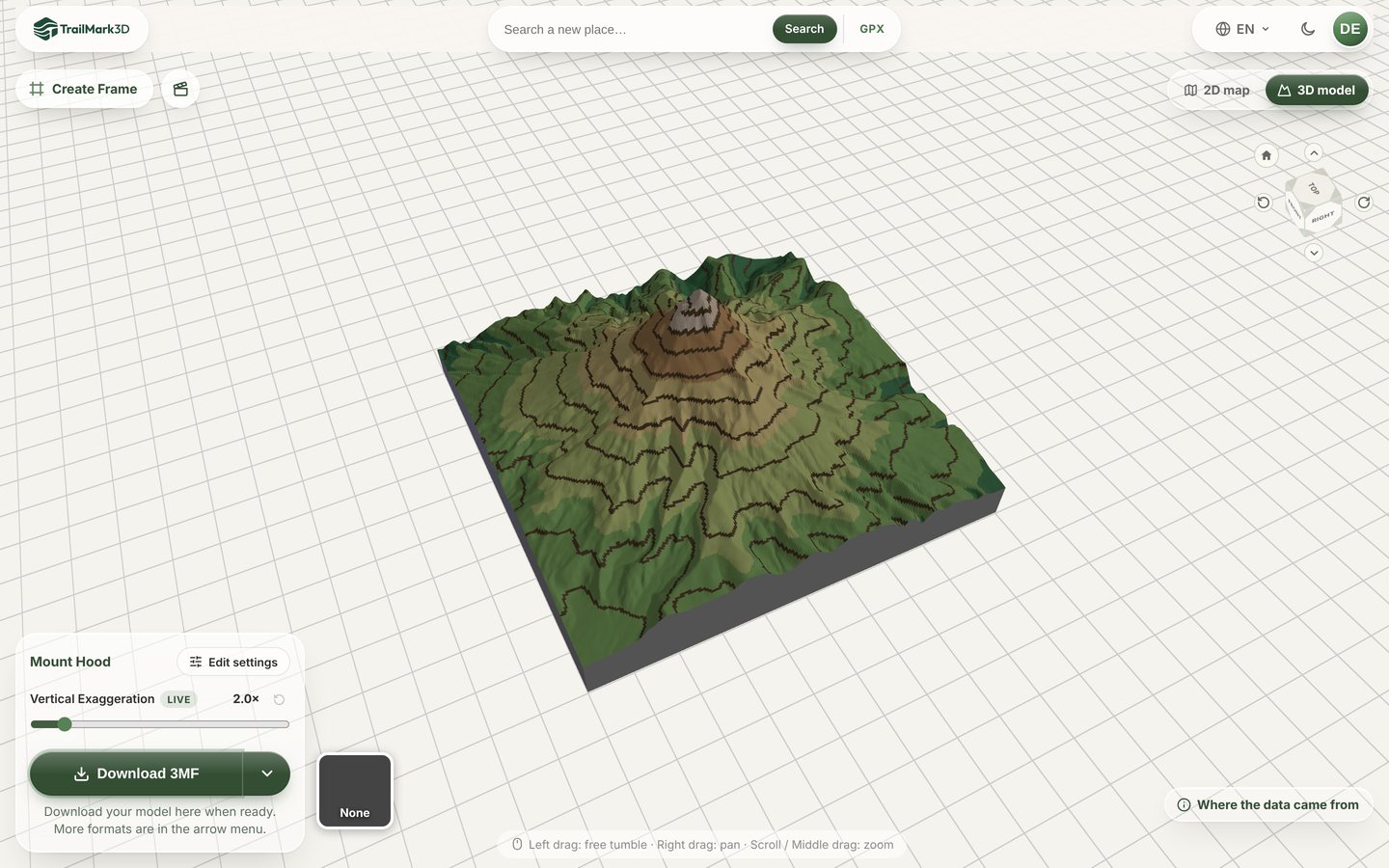
Contour lines are what make a topographic map look like a map: every line traces one elevation, so you can read the slope from how close they run. On a 3D print they add that map look to the real relief. TrailMark3D paints contour lines and elevation color bands straight onto the terrain of any place, ready for a multi-color printer. This guide makes Mount Hood in Oregon with lines and bands together.
Open Mount Hood in the workspace
Open the mountain
Search a summit, a park or a town on the home page, or use the link above. Contours suit any terrain with some relief: a single volcano, a valley, a whole range. Frame the area with the square on the map; Mount Hood fits in 12 km. 3D map of any place has more on picking and framing the area.
Switch on Contour and pick a style
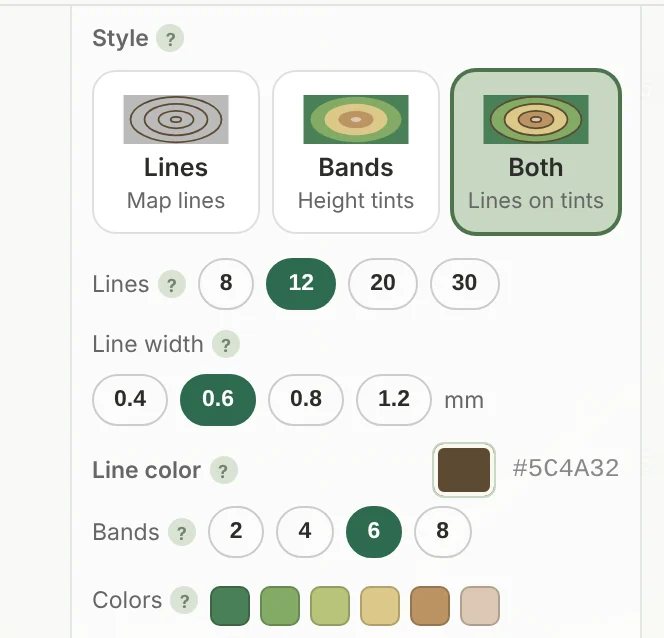
Open Map Features and switch on Contour. Under Style, pick one of three:
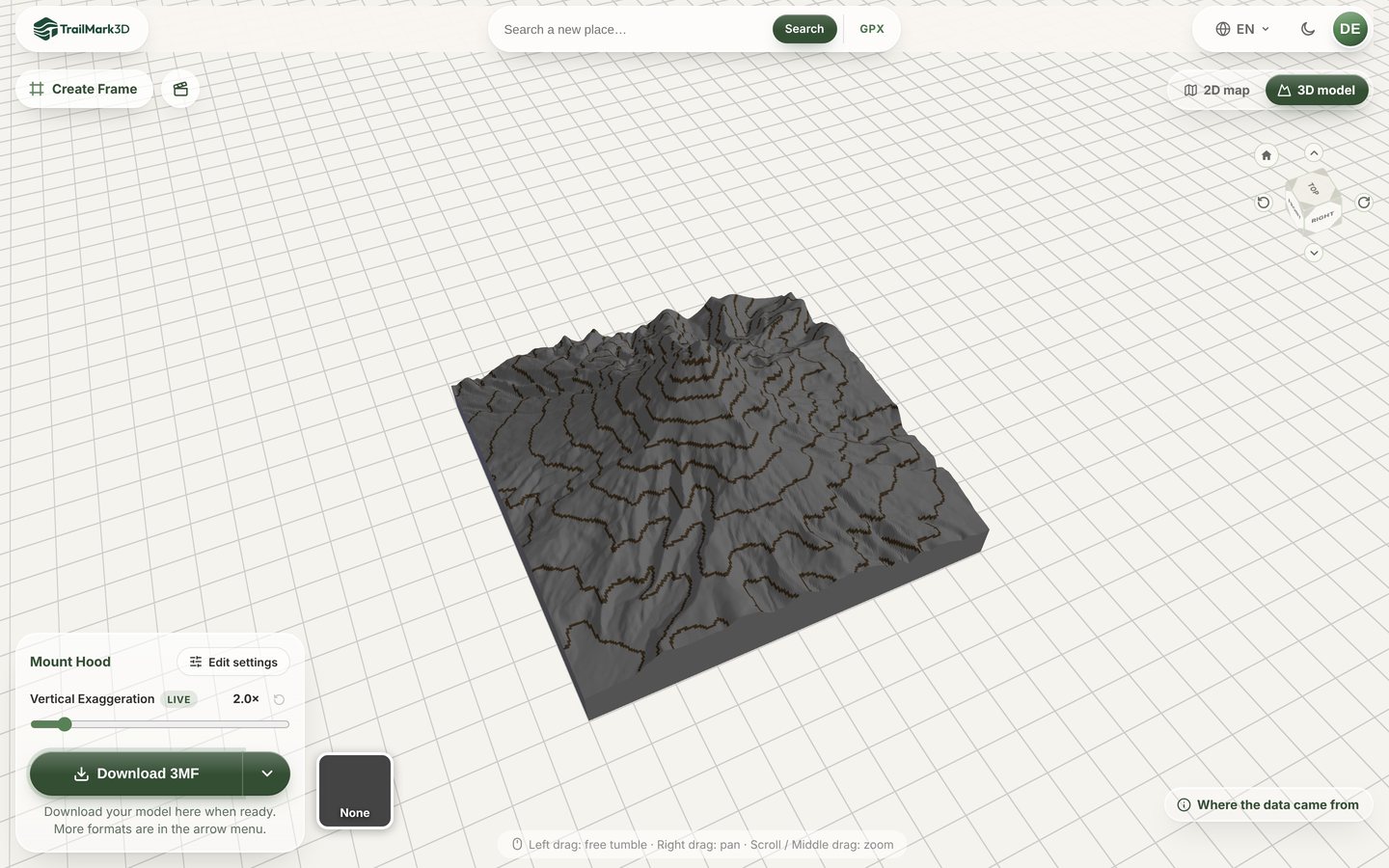
- Lines: topographic contour lines in one color, like a hiking map.
- Bands: the whole surface tinted by elevation, from green valleys to pale summits.
- Both: the lines drawn on top of the bands.
Set the contour lines
Lines sets roughly how many lines to draw: 8, 12, 20 or 30. They are spaced evenly over this place's own relief, and after a build the panel shows the interval, such as a line every 200 m. Line width is in millimeters on the print: 0.6 mm is the default, and below 0.4 mm, one nozzle line, a slicer starts to drop parts of a line. Click Line color to choose its filament, from plain colors or the Bambu Lab filament list. Every line shares that one color.
Set the elevation bands
Bands splits the height range into 2, 4, 6 or 8 slices of equal height, each printed in its own color, lowest on the left. The default ramp runs from forest green through sand and tan to a pale summit, like the hypsometric tints on a school atlas. Click a swatch to recolor one band, or Reset to go back to the ramp. More bands show finer relief but need more filament slots.
Generate and download
Click Generate 3D Model. Mount Hood builds in about half a minute with the lines drawn over the bands. Turn it in the 3D viewer, then click Download 3MF. The lines and bands are painted onto the terrain in the 3MF, each on its own filament, so download the 3MF: an STL keeps only the shape and prints plain. Print at 0.2 mm layers or finer so the lines stay crisp on steep slopes.
Frequently asked questions
Is the contour map free?
Yes. Contour lines are free on every plan, and because all lines share one color they don't count toward your print colors. Each elevation band is one print color: the free plan downloads up to 2 print colors, with a free account, for personal use, and more bands need Pro ($10 a month) or come free during a new account's 3-day trial. See pricing.
Are the contour lines raised or just colored?
Colored. The lines and bands are painted onto the terrain surface, not raised, so the relief stays true and the lines read cleanly from any angle. That is also why they need the 3MF and a printer that can print more than one color.
Can I print a contour map on a single color printer?
The lines and bands need a second filament, from an AMS, an MMU or a tool changer. On a single color printer the model still prints, as plain terrain without the lines. For a one-color look with clear steps, raise Vertical Exaggeration so the slopes stand out.
Why are there fewer contour lines than I picked?
A line can't be finer than one terrain cell. On steep ground the count is capped so neighboring lines don't merge into one. Raise the detail under Terrain Detail, or make the area smaller, for more lines.
Can I add contour lines to a trail map from my GPX?
Yes. Contour works with a GPX route as well as with a place: the trail prints on top in its own color. Start with GPX to 3D print.
Can I combine contour lines with water and landcover?
Yes. Lakes and rivers keep their own water color, and landcover colors paint on top of the bands. Satellite colors cover the whole surface, so with them only the lines show, not the bands. See 3D print a lake map.