3D print a lake map: lakes, rivers and a stepped depth map of the sea floor
Make a 3D printed lake map with the water as its own color. Add lakes, rivers and the sea in TrailMark3D, choose how the water prints, and step the sea floor into real depth bands like a bathymetric chart.
In short
Open the place in TrailMark3D, switch on Water Bodies under Map Features and pick Seas, Lakes and Rivers. The water preview shows every lake that will be carved; Min Water Size drops the tiny ones. Choose One piece or a Separate drop-in water piece, and set Sea floor to Terraced to print the real seabed as stepped depth bands. Lakes print as a level water surface, because lake-bed depths are not in the open data. Water is free; a separate water piece needs Pro and a terraced sea floor download needs Pro Plus.
A lake is the easiest way to make a 3D printed map read at a glance: print the land in one color, the water in another, and everyone sees the shape of the shore before they see the mountains. TrailMark3D adds lakes, reservoirs, rivers and the sea as their own part, carved into the real terrain, and it can step the sea floor down in depth bands like a nautical chart. This guide makes a map of Lake Crescent, in Olympic National Park, Washington, with the Strait of Juan de Fuca at its edge.
Open Lake Crescent in the workspace
Open the lake and frame it
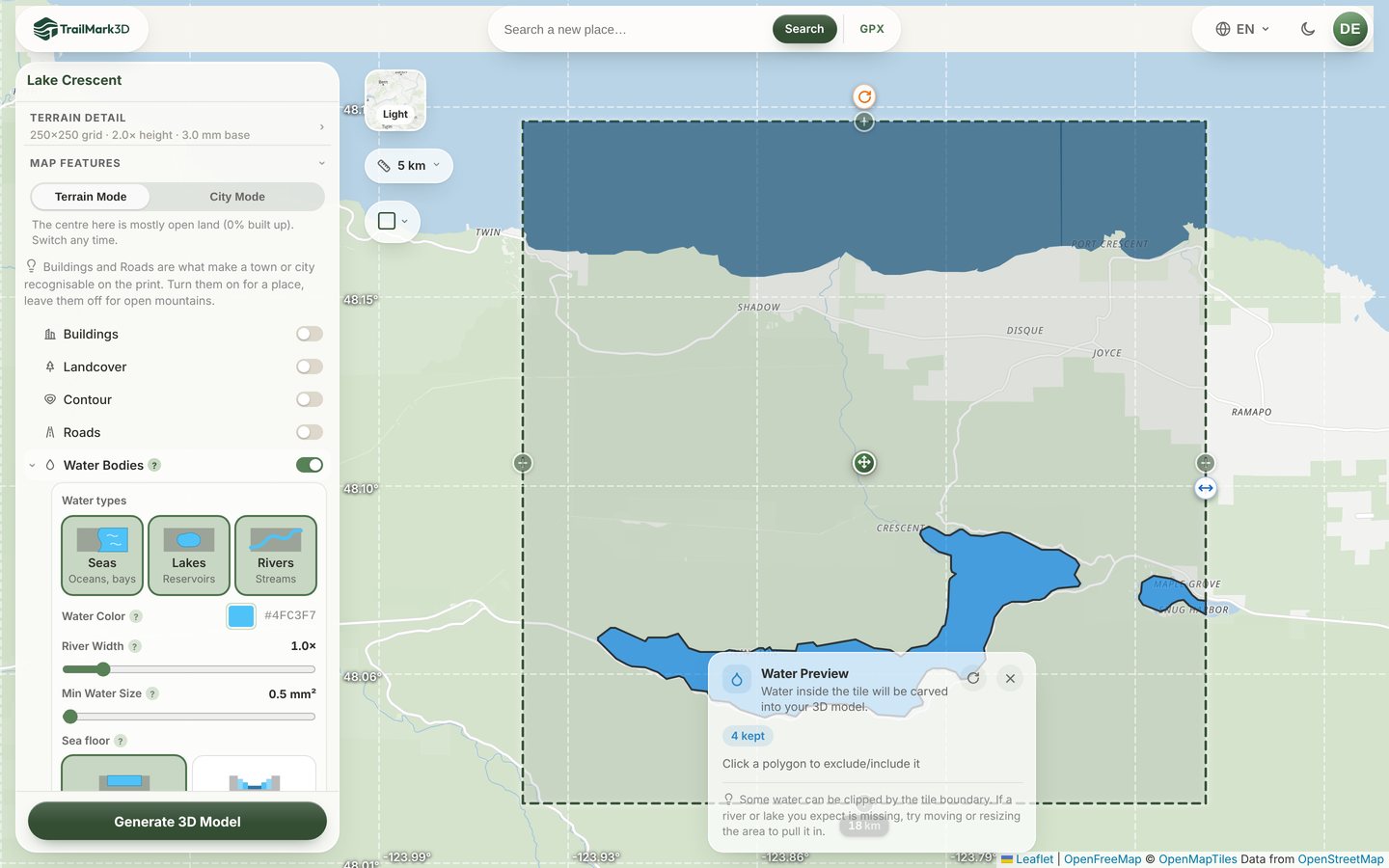
Search the lake on the home page, or use the link above. The workspace opens with a square on the map. Drag the side handle to fit the whole shore inside, with a little land around it. Lake Crescent fits in an 18 km square; a small mountain lake needs only 2 or 3 km. If you want the sea floor too, pull the square out to the coast. Any area up to 200 km across works on the free plan. 3D map of any place has more on framing.
Switch on Water Bodies
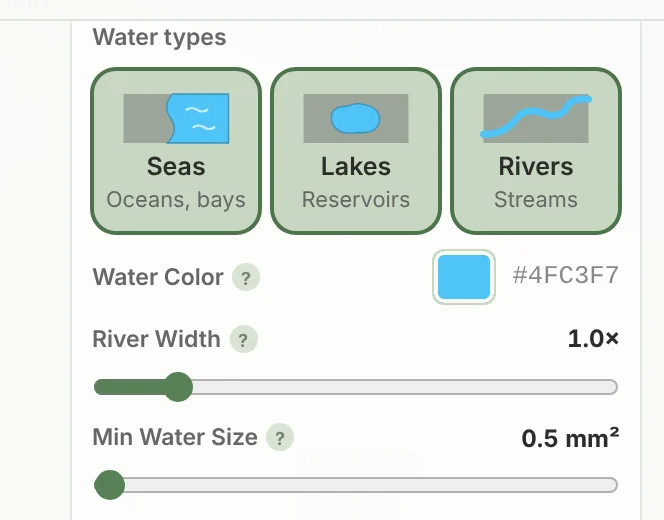
Open Map Features and switch on Water Bodies. Under Water types, choose what to carve: Seas (oceans and bays), Lakes (lakes and reservoirs) and Rivers (rivers and streams). The map fills with a Water Preview: every lake inside the square, in the water color, with a count of the bodies that will be kept. Click Water Color to pick the filament the water prints in.
Keep the lakes you want
Small ponds and thin streams can clutter a print. Min Water Size drops every water body smaller than the area you set, measured in square millimeters on the printed model, and River Width makes rivers bolder or finer. The preview marks dropped bodies as too small. Both are free to preview; raising Min Water Size above its 0.5 mm² default, or changing River Width from 1×, needs Pro to download. On Pro you can also click a single lake on the map to exclude it, or click it again to bring it back.
Choose how the water prints
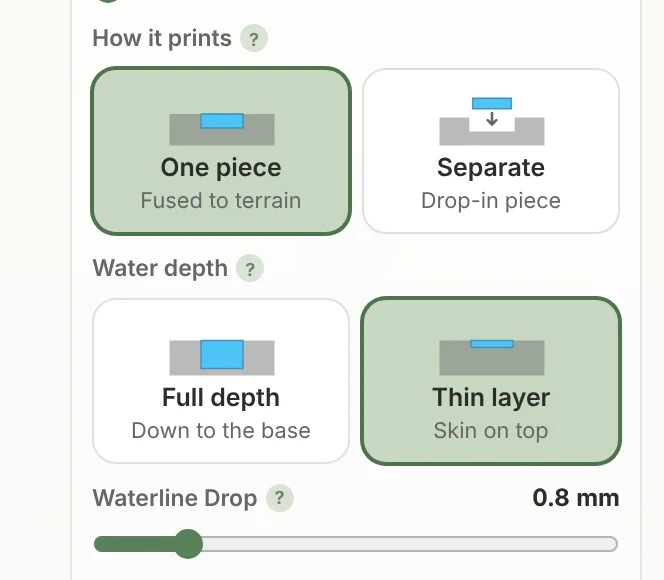
Open Advanced · depth, fusing & fit. How it prints sets the build:
- One piece bonds the water to the land, so the whole map prints at once with no assembly. This is the free option.
- Separate prints the water as its own drop-in piece that sits in a slot in the land. Print it in clear or translucent blue filament for a glassy lake, on any single-color printer. Slot Margin adds clearance so it drops in.
Water depth chooses Full depth, solid down to the base, or a Thin layer skin (a Shelf when the piece is separate) that saves filament. Waterline Drop sets the water a little below the shore, so a bank wall stands up around every lake, like the recessed water in an architect's model.
Step the sea floor into depth bands
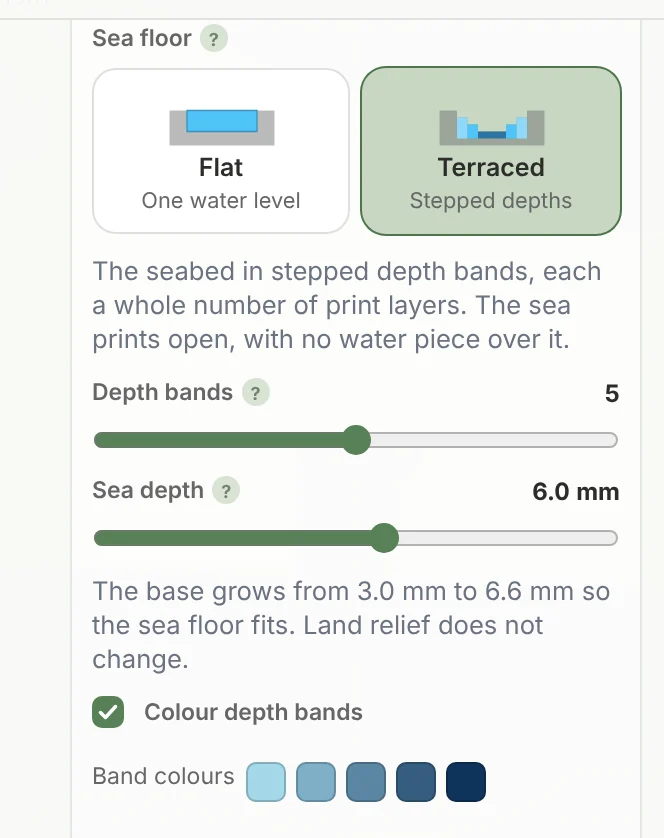
If the square reaches the coast, set Sea floor to Terraced. The sea no longer prints as one flat surface: the real seabed steps down in Depth bands, each a whole number of print layers, like the contours on a bathymetric chart. Sea depth sets how far the deepest band sits below sea level, and the base grows to fit it. With Colour depth bands on, every band prints in its own shade of blue, from pale shallows to the deepest water. The seabed depths come from the GEBCO ocean grid.
Generate and download
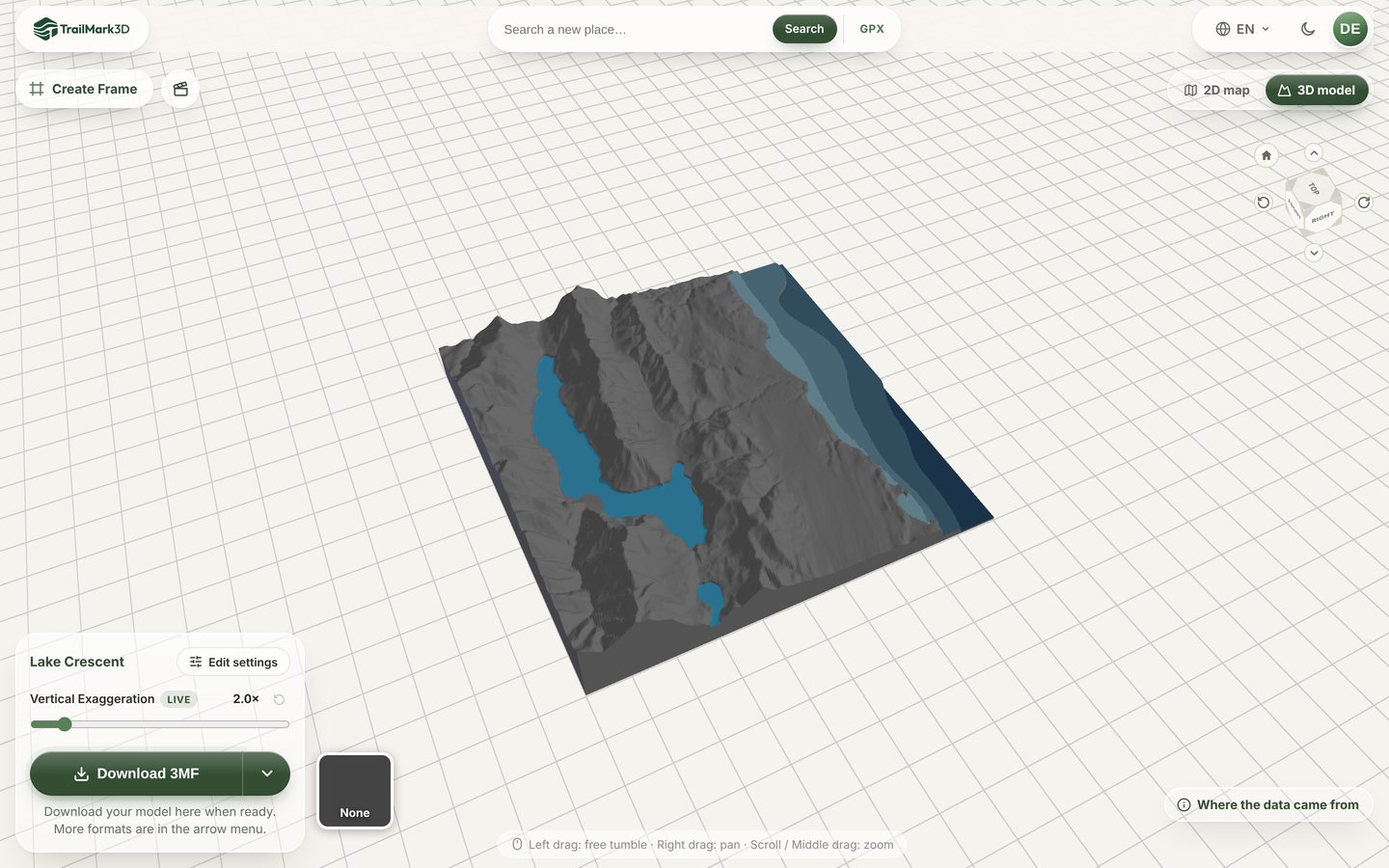
Click Generate 3D Model. Lake Crescent builds in under a minute: the lake sits level between the ridges, and the strait steps down in five shades of blue. Turn it in the 3D viewer and try the live Vertical Exaggeration, then click Download 3MF. The water and every depth band arrive as their own parts with their colors assigned. STL vs 3MF has slicer settings for terrain.
Frequently asked questions
Is it free to 3D print a lake map?
Yes. With a free account you can add seas, lakes and rivers and download the 3MF or STL, for personal use. On the free plan the water prints fused to the land, and it counts as one of your 2 print colors, so land and water fit. A separate drop-in water piece, the thin water layer, slot margin, excluding single lakes, a Min Water Size above the 0.5 mm² default and a River Width other than 1× need Pro ($10 a month). The terraced sea floor is free to preview, and downloading it needs Pro Plus ($15 a month). See pricing.
Can TrailMark3D print the depth of a lake?
Not the lake bed. Global open data has the shape of every lake but no depth map of its bottom, so a lake prints as a level water surface, carved into the terrain at its real elevation. The stepped depth bands are for the sea, where the GEBCO grid has measured depths. For a lake you have surveyed yourself, print the lake as a separate piece and model the depths in your own CAD tool.
Where does the water data come from?
Lakes come from HydroLAKES and OpenStreetMap, rivers from GRWL and OpenStreetMap, and sea depths from GEBCO. Every download includes a notes file that credits the sources used in your model.
How do I print the lake in clear filament?
Set How it prints to Separate. The water becomes its own piece that you print on its own in clear or translucent filament and drop into the land. Slot Margin sets the clearance; 0.2 mm is a good start.
Why is a lake missing from my map?
It is either smaller than Min Water Size at this print size, or cut by the edge of the square. Lower Min Water Size (anything down from the 0.5 mm² default stays free), make the square smaller so the lake prints larger, or move the square to take in the whole shore.
Can I add contour lines to the lake map?
Yes. Switch on Contour in Map Features as well, and the land gets topographic lines while the water keeps its own color. See contour map 3D print.