3D printed national park map: make a 3D topographic model of the Grand Canyon, Zion or any park
Make a 3D printed national park map with TrailMark3D. Search the park, frame the canyon or the peaks, color it with landcover or satellite imagery, carve the rivers and lakes, and download an STL or 3MF. Includes settings for 14 popular parks.
In short
Search the park by name on the TrailMark3D home page, pick it, and frame the part you want on the map, such as the canyon, the valley or the main peaks. Under Map Features, switch on Water Bodies and color the land with Landcover (free) or Satellite (Pro), set the Vertical Exaggeration for the kind of park, click Generate 3D Model, and download the STL or 3MF. Add a hike you did with a GPX, and the park name with the Frame Builder. It is free with an account.
National parks are some of the most printed places on Earth, because the landscape is the reason to go: a canyon a mile deep, a valley carved by glaciers, a volcano above the clouds. TrailMark3D builds a 3D topographic model of any park from real elevation data, with its rivers carved in and the land colored the way it looks from the air. This guide makes a 3D printed map of the Grand Canyon in Arizona, and the table at the end gives the area and the settings for 13 more parks around the world, each one link away from the workspace.
Open the Grand Canyon in the workspace
Search the park
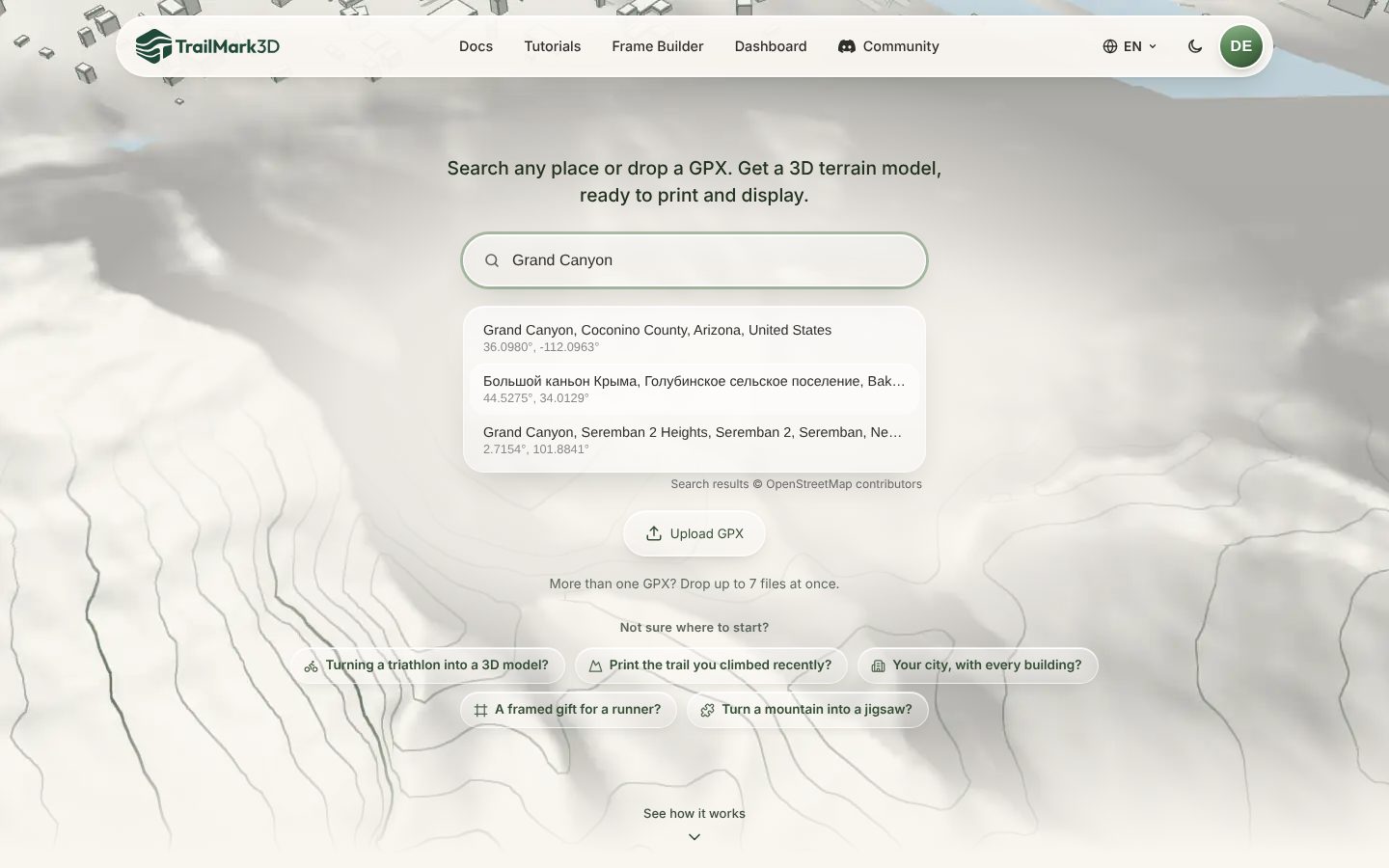
Go to the TrailMark3D home page and type the park's name into the search box: "Grand Canyon", "Zion National Park", "Torres del Paine". Suggestions from OpenStreetMap appear with their coordinates. For a big park, search the feature you care about instead of the park itself, such as "Half Dome", "Grand Prismatic Spring" or "Bright Angel Point", so the map opens where you want to be.
Frame the part of the park you want
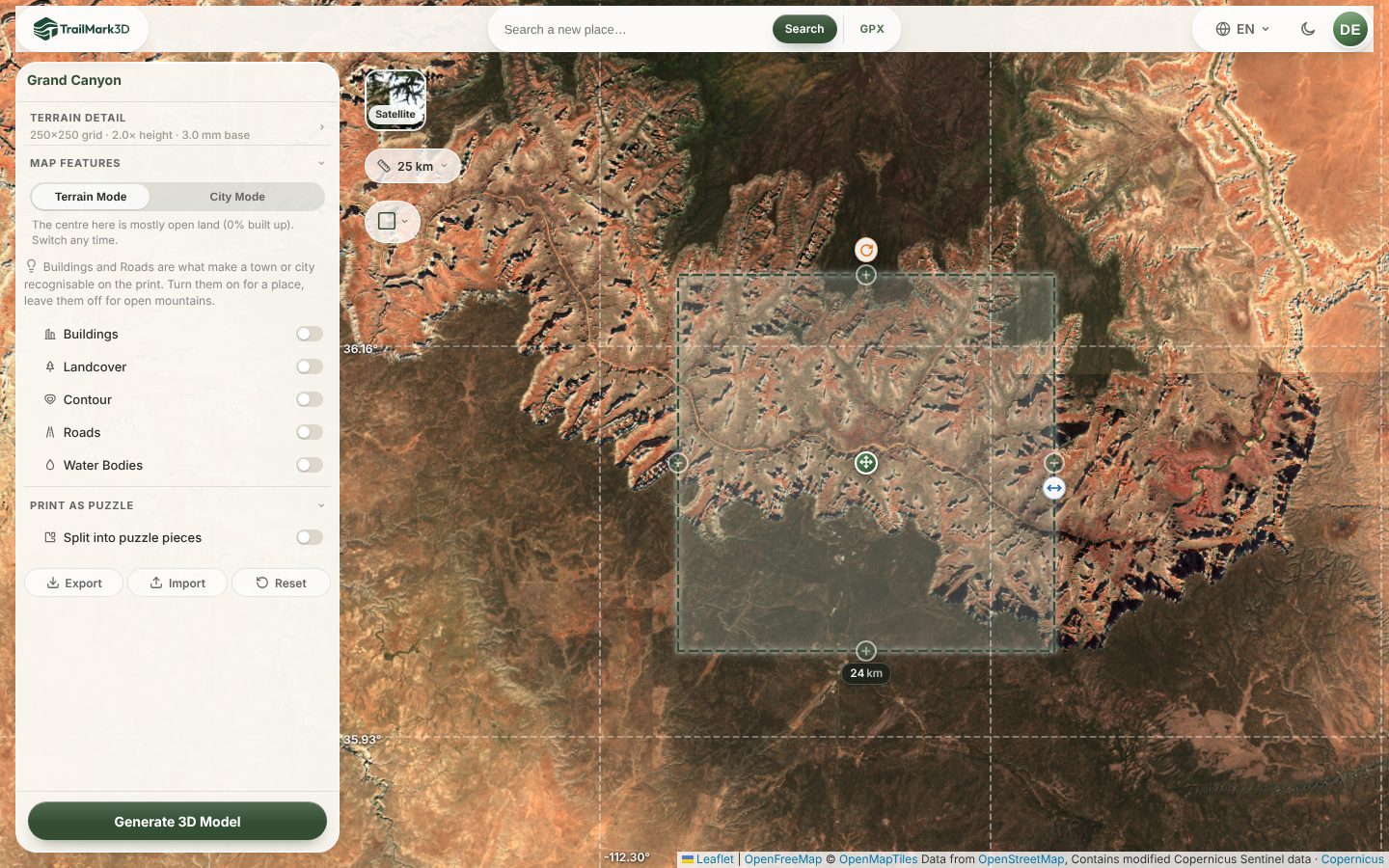
The workspace opens with a dashed tile on the map. Most national parks are too big to print well in one piece: the Grand Canyon National Park is about 450 km long, and a print of all of it would flatten the canyon into a scratch. Pick the part that tells the story instead. Here a 24 km square covers the canyon from the South Rim at Grand Canyon Village to the North Rim, with the Colorado River in the middle. Drag the side handle to resize the tile, the center handle to move it, and the orange rotate handle to line a canyon or a ridge up with the print. The layer button switches to satellite imagery, which shows the rims and the river clearly.
Carve the rivers and color the land
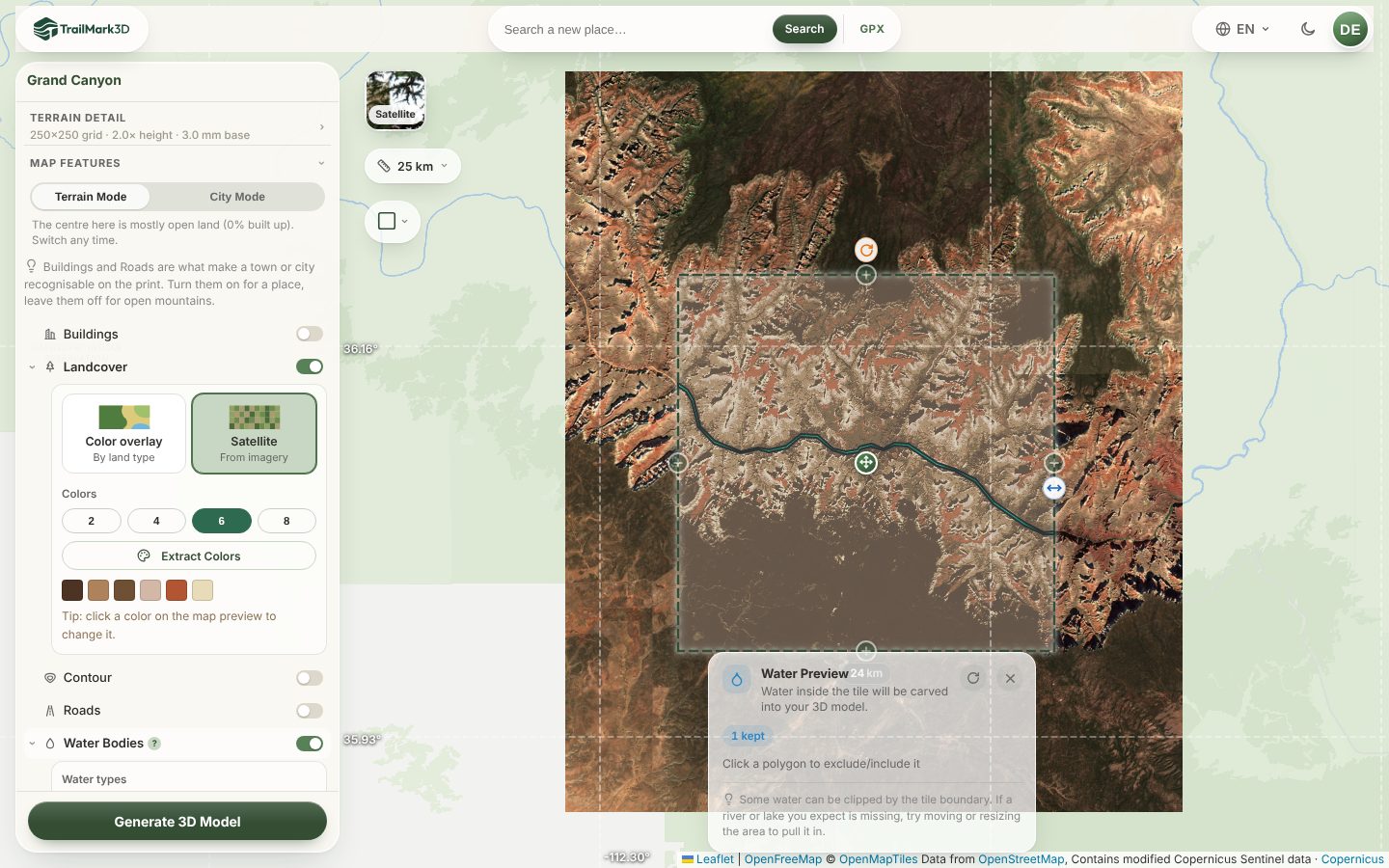
Open Map Features. Switch on Water Bodies to carve the rivers and lakes as their own color: the Colorado River in the Grand Canyon, the lakes of Glacier or Plitvice. Then pick how to color the land under Landcover:
- Color overlay colors the land by type, such as forest, grassland, rock and snow, from open map data. It is free with up to 2 print colors.
- Satellite samples real colors from Copernicus Sentinel-2 imagery and reduces them to a few filaments, so the red rock, the green forest and the pale cliffs print as you saw them. It is Pro, and Extract Colors lets you preview the palette for free.
Set the relief for the kind of park
Open Terrain Detail. The Vertical Exaggeration depends on the park: deep canyons and high mountains already have plenty of relief, so 1× to 1.5× keeps them close to life, while plateaus, lake districts and rolling hills need 2× to 3× to read in plastic. The Grand Canyon prints well at 1.5×. Set the Print Size; at 150 mm, each millimeter of the print covers about 160 m of the park.
Generate the 3D model
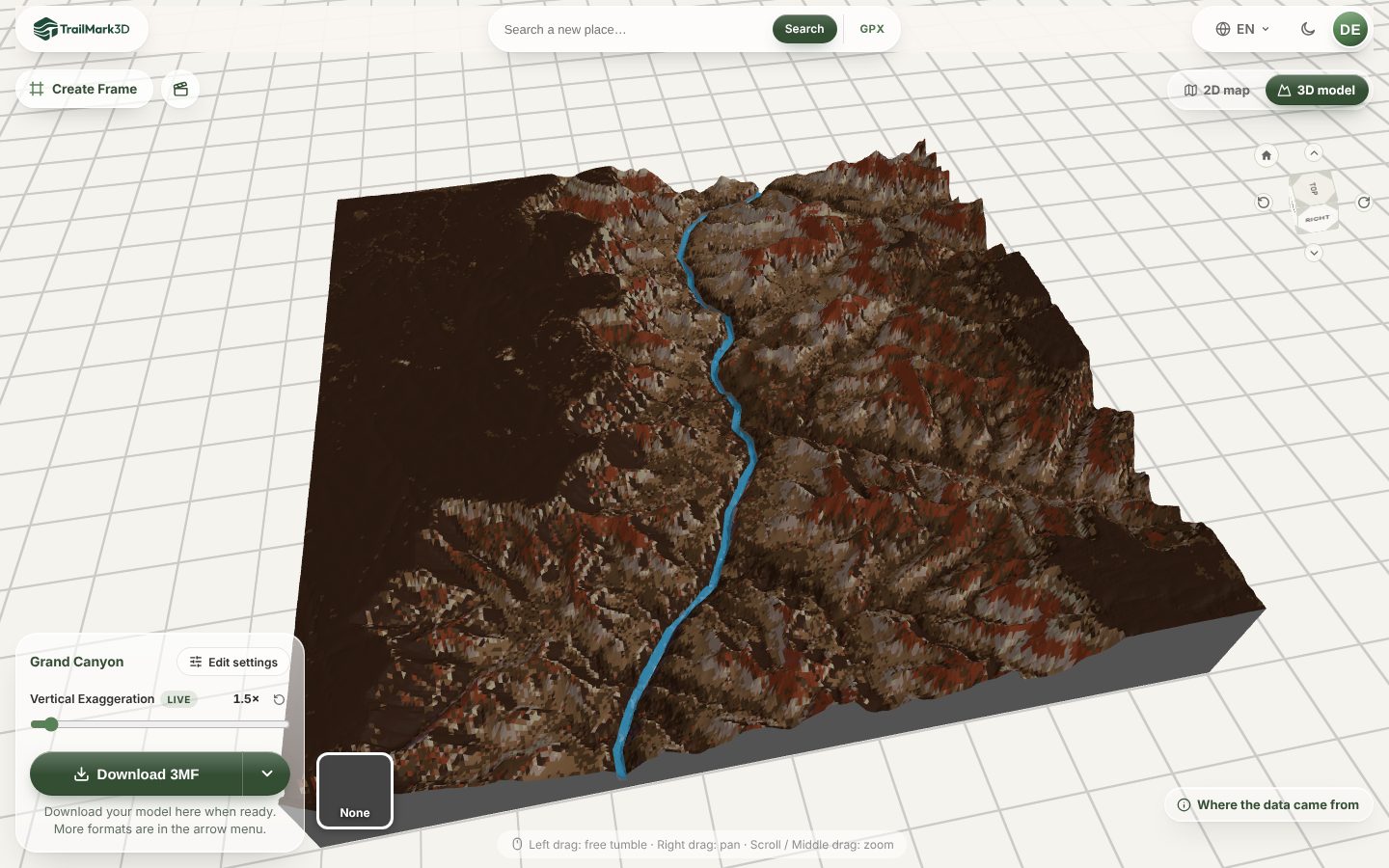
Click Generate 3D Model. The model opens in the 3D viewer in its print colors: drag to turn it, scroll to zoom, and try the live Vertical Exaggeration slider before you download.
Add your hike and the park name, then download
A park map becomes a souvenir when it shows where you went. To add a hike, upload its GPX on the home page instead of searching: the trail is raised in its own color on the same terrain, such as the Bright Angel Trail down to the river (GPX to 3D print walks through it). To add the park's name, click Create Frame above the 3D viewer and add raised text to the frame (3D printed map frame). Then click Download 3MF for a file with each color as its own part, or pick STL from the arrow menu, and print it flat with no supports.
Settings for popular national parks
Each link opens the park in the workspace with the area in the table. The width is the side of the tile; the exaggeration is a starting point.
| Park | Area to print | Width | Vertical exaggeration |
|---|---|---|---|
| Grand Canyon, USA | South Rim to North Rim | 24 km | 1.5× |
| Zion, USA | Zion Canyon and Angels Landing | 10 km | 1.3× |
| Yosemite, USA | Yosemite Valley and Half Dome | 12 km | 1.2× |
| Yellowstone, USA | Yellowstone Lake and the caldera | 90 km | 3× |
| Glacier, USA | Going-to-the-Sun Road and its lakes | 30 km | 1.3× |
| Rocky Mountain, USA | Longs Peak and Bear Lake | 20 km | 1.5× |
| Arches, USA | The fins and Delicate Arch | 16 km | 2.5× |
| Banff, Canada | Lake Louise and Moraine Lake | 16 km | 1.2× |
| Torres del Paine, Chile | The Towers, the Horns and the lakes | 24 km | 1.2× |
| Teide, Spain | The volcano and Las Cañadas crater | 18 km | 1.3× |
| Picos de Europa, Spain | The three massifs and the Cares gorge | 24 km | 1.2× |
| Plitvice Lakes, Croatia | The terraced lakes | 8 km | 2.5× |
| Mount Fuji, Japan | The volcano and its crater | 20 km | 1.5× |
| Zhangjiajie, China | The sandstone pillars of Wulingyuan | 12 km | 1.5× |
Frequently asked questions
Is it free?
Yes. With a free account you get 5 models a day, areas up to 200 km across, water and landcover colors in up to 2 print colors, raised trails, the Frame Builder, and STL and 3MF downloads for personal use. Without an account you can try it on areas up to 50 km across, but downloading needs a free account. Pro ($10 a month) adds satellite colors, more print colors, areas up to 500 km, High resolution, unlimited models and commercial use. See pricing.
Can I 3D print a whole national park?
Yes, up to 200 km across with a free account and 500 km on Pro, which covers Yellowstone or Yosemite in one tile. The bigger the area, the flatter each feature prints, so for a large park raise the Vertical Exaggeration to 2× or 3×, or print the part with the most relief. For an area larger than one print bed, see Regions, which split it into plates.
Where does the elevation data come from?
From open elevation data: Mapterhorn terrain tiles, built from Copernicus and national surveys, with the AWS Terrain Tiles as a fallback. Water and landcover come from OpenStreetMap and Overture Maps, and satellite colors from Copernicus Sentinel-2. Where the data came from, at the bottom right of the 3D viewer, lists the sources and the attribution for each model.
Can I add the trail I hiked in the park?
Yes. Upload the GPX of your hike on the home page instead of searching the park. The trail is raised in its own color on the same terrain, and you can widen the tile on the map to show more of the park around it. GPX to 3D print shows how.
Can I sell 3D printed national park maps?
Yes, with Pro, which includes commercial use. The free plan is for personal use and gifts. National park names are public, but a park's official logo or arrowhead emblem is not yours to print, so put the name in plain text on the frame.
Which national park looks best as a 3D print?
Parks with deep, sharp relief in a small area: the Grand Canyon, Zion, Yosemite Valley, Torres del Paine and Mount Fuji. Lakes and canyons also print well in two colors, because the water reads clearly against the land.