"Where we met" map gift: a 3D printed map of the place you met, with your names and date
Make a personalized "where we met" map gift with TrailMark3D. Paste the coordinates of the spot, frame the streets or the landscape around it, generate a 3D printed map and add your names and the date to the frame. An anniversary, wedding or Valentine's gift you print yourself.
In short
Copy the coordinates of the place you met from Google Maps and paste them into the search box on the TrailMark3D home page. Frame the area around it, about 2 km across for a city, and pick City Mode with a color preset for streets and buildings, or Terrain Mode for a beach, a trail or a mountain. Click Generate 3D Model, then Create Frame, and add your names and the date as raised text on the frame. Download the 3MF and print it. Terrain Mode is free; City Mode downloads need Pro.
A "where we met" map is a gift about one spot on Earth: the café, the street corner, the beach or the summit where a story began. Most are flat posters. TrailMark3D makes it a 3D printed map instead, with the real streets, buildings and hills around that spot, and a frame that carries your names and the date in raised letters. It suits an anniversary, a wedding, an engagement or Valentine's Day, and you can print it in an evening. This guide makes one for a couple who met in Alfama, the old hillside quarter of Lisbon.
Open Alfama, Lisbon in the workspace
Find the exact spot and paste its coordinates
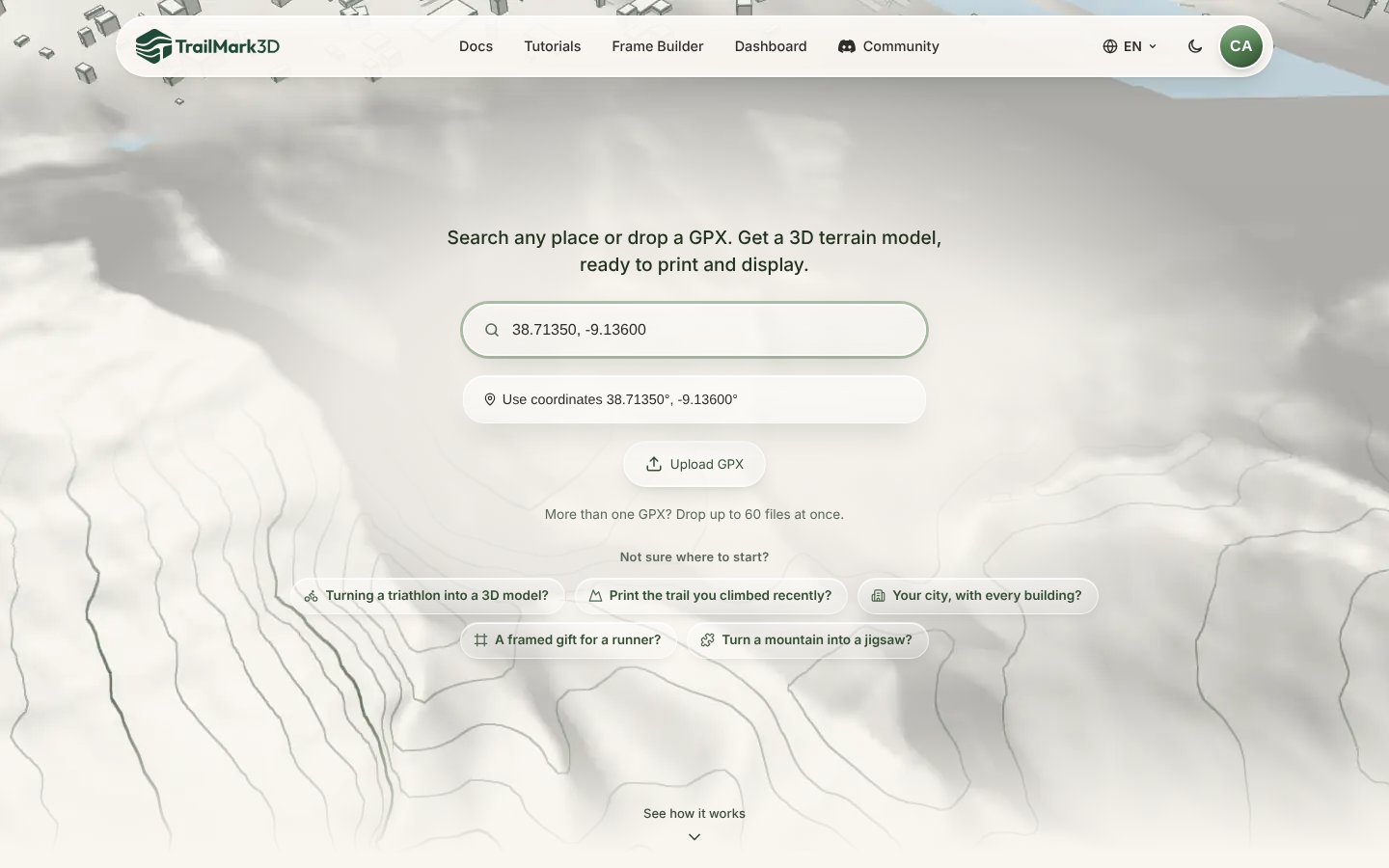
The place you met may not have a name a search box knows, so use its coordinates. In Google Maps, right-click the spot (or long-press it on a phone) and click the two numbers at the top of the menu to copy them, such as "38.71350, -9.13600". Go to the TrailMark3D home page and paste them into the search box: TrailMark3D offers the exact point as a suggestion, with no lookup. A place name works too, such as "Alfama, Lisbon" or "Central Park".
Frame the place and pick City or Terrain Mode
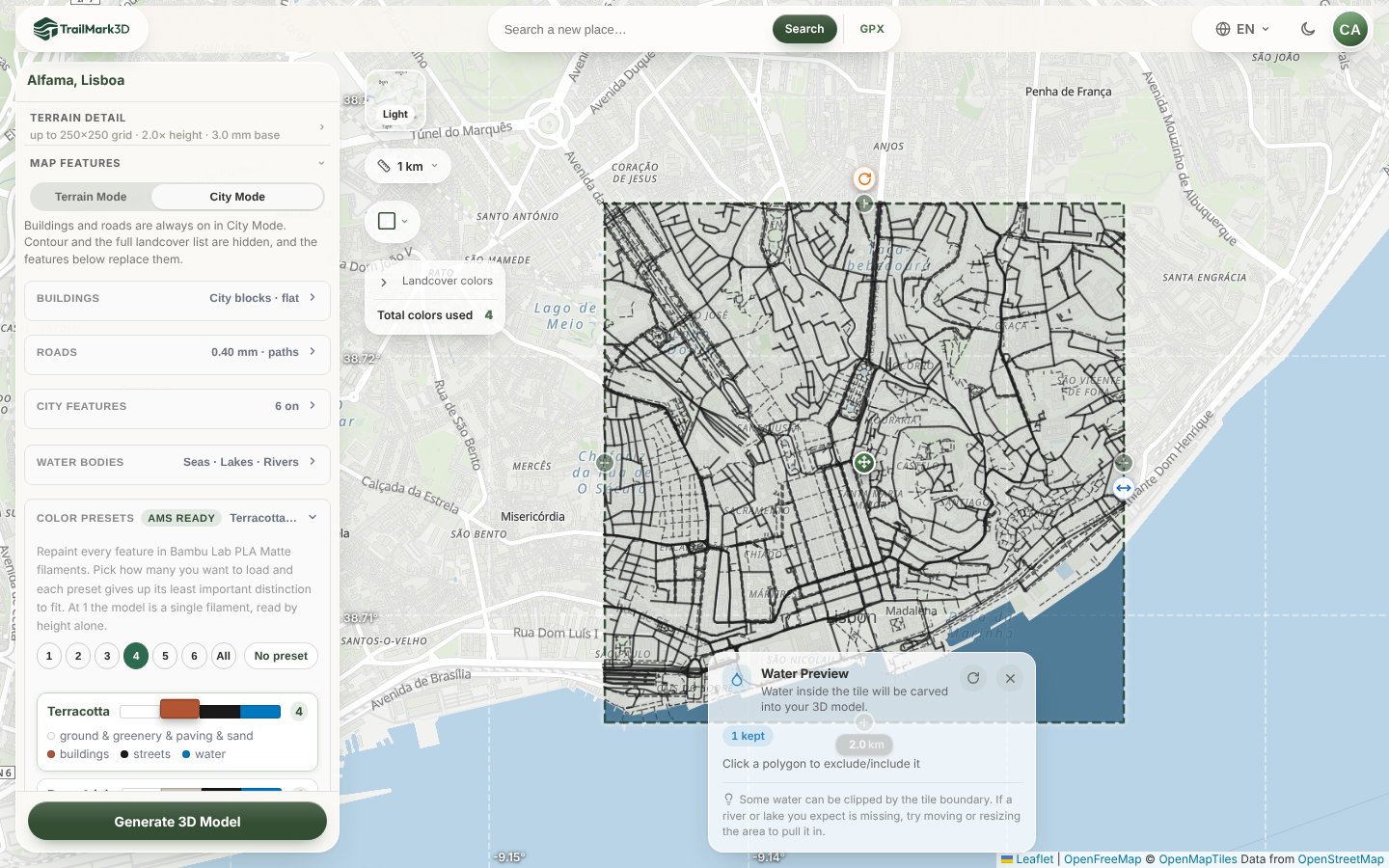
The workspace opens with a dashed tile centered on your spot. Size it to tell the story: about 2 km across for a neighborhood, so the streets you walked are recognizable, and 5 to 20 km for a lake, a coast or a mountain. A square fits a standard shadow box; a circle makes a round keepsake. Then pick the mode under Map Features:
- City Mode builds every street and building at real height, from open map data. Pick a color preset: Terracotta, used here, gives red roofs, black streets and a blue river, like Lisbon itself.
- Terrain Mode is for a beach, a trail or a summit: the landscape in relief, with water and landcover colors.
Generate the 3D map
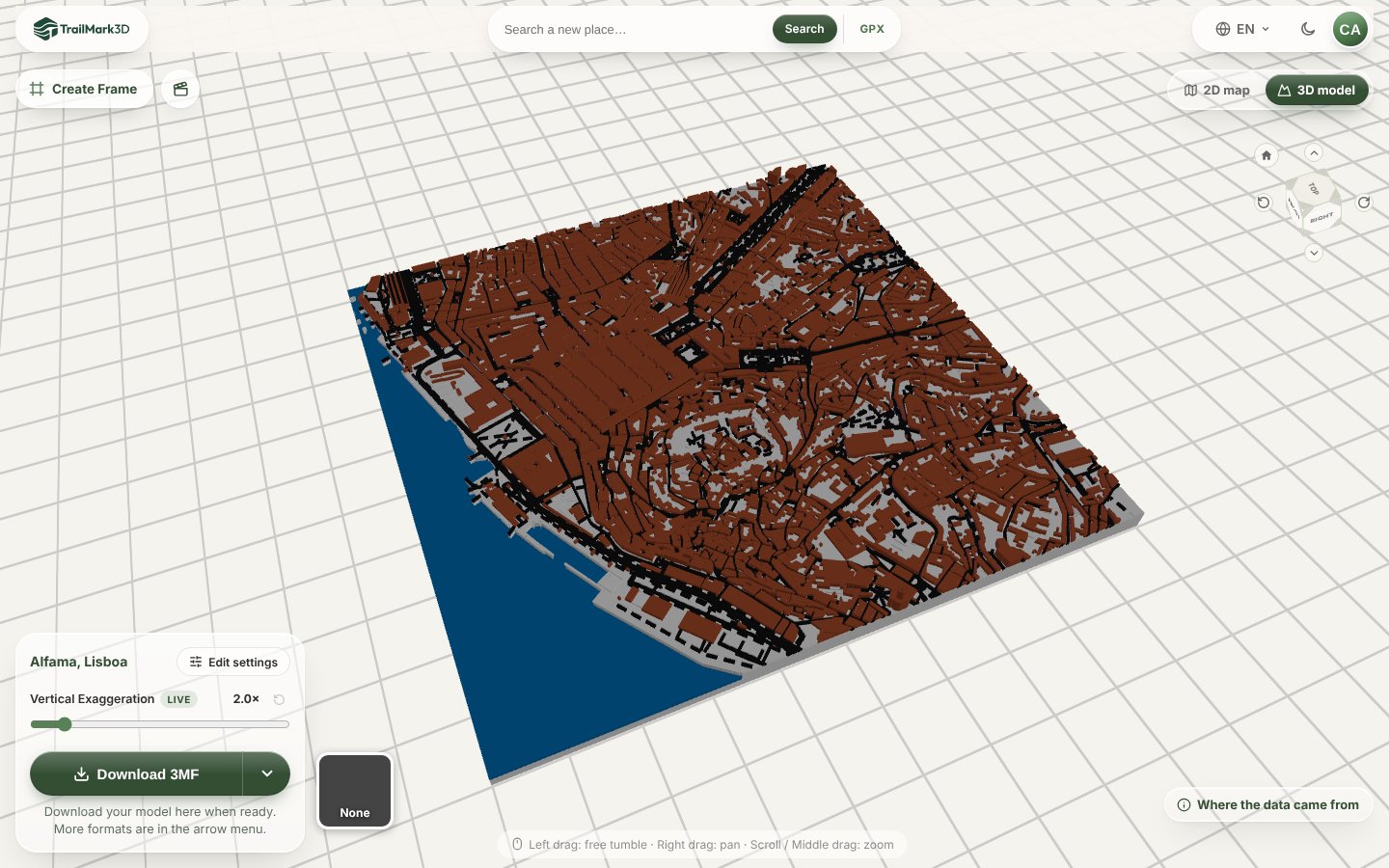
Click Generate 3D Model. In under a minute the model opens in the 3D viewer: the hill of the Castelo de São Jorge, the tangle of streets around it and the Tagus river along the bottom, each in its own color. Drag to turn it and scroll to zoom. If the spot you met is near an edge, go back to the map and move the tile, so the story sits in the middle.
Add your names and the date to the frame
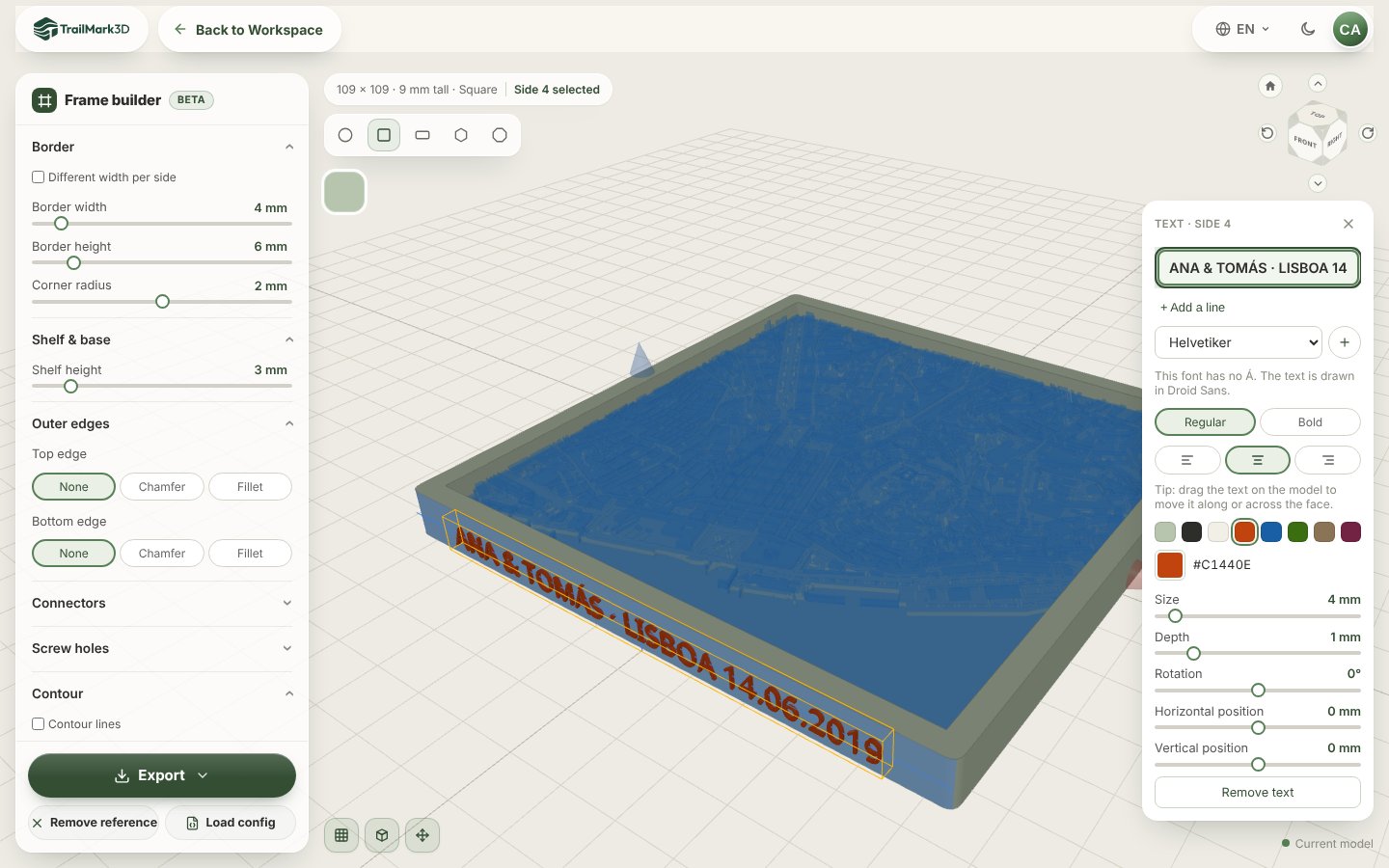
This is what makes it a gift. Click Create Frame at the top left of the 3D viewer. The Frame Builder opens with a frame sized around your map. Click the front face of the frame and choose Add text…, then type your names and the date, such as "ANA & TOMÁS · LISBOA 14.06.2019". Set Size to about 4 mm so the letters fit the face, and pick a text color that matches the map. + Add a line puts a second line on the same face, such as the coordinates, if you raise the Border height to make room; or click another face and add the text there.
Download, print and wrap it
Click Download 3MF in the workspace for the map, with each color as its own part, and Export in the Frame Builder for the frame. Print both flat with no supports; a 110 mm map and its frame print in an evening on most printers. Drop the map into the frame, and it is ready to wrap. STL vs 3MF explains which file to pick, and Bambu Studio shows how to print the colors on an AMS.
Ideas for every occasion
Each link opens an example in the workspace. Replace it with your own place.
| Occasion | The place to print | Example | Mode |
|---|---|---|---|
| Anniversary | Where you met or had your first date | Alfama, Lisbon | City |
| Wedding | The venue or the church, with the date | Gion, Kyoto | City |
| Engagement | The viewpoint, beach or summit of the proposal | Lake Bled, Slovenia | Terrain |
| Valentine's Day | The city you live in together | La Boca, Buenos Aires | City |
| New home | The neighborhood of your new house | Coyoacán, Mexico City | City |
| Honeymoon | An island or a coast you visited | Santorini, Greece | Terrain |
| Father's or Mother's Day | The town they grew up in | Hallstatt, Austria | Terrain |
| A first hike together | The trail, from your GPX | GPX to 3D print | Terrain |
Frequently asked questions
Is it free?
Terrain Mode is free: with a free account you get 5 models a day, the Frame Builder with raised text, and STL and 3MF downloads for personal use, in up to 2 print colors, which is enough for a beach, a lake or a mountain gift. City Mode is free to build and preview, and downloading it needs Pro ($10 a month); every new account can download City Mode models for its first 3 days, as part of the free trial. See pricing.
Can I make a "where we met" map from coordinates?
Yes. Paste the latitude and longitude into the search box on the home page, as decimal degrees separated by a comma, such as "38.71350, -9.13600". This is the format Google Maps copies when you click the numbers in its right-click menu.
Can I put our names, the date or the coordinates on it?
Yes. After you generate the model, click Create Frame and add raised text to any face of the frame: names, a date, the coordinates or a short message, with up to two lines per face. In the 3MF, the text is its own part, so it prints in its own color.
What if we met on a hike, on a beach or on a mountain?
Use Terrain Mode. Search the beach, the lake or the peak, or upload the GPX of the hike, and switch on Water Bodies for the sea or a lake. The relief is the story there, and it stays within the free plan's 2 print colors.
What size should a map gift be?
100 to 150 mm across sits on a desk or a shelf, and prints in an evening. For a wall piece, go to 200 mm or more. For a city, keep the area about 1 to 3 km across, so each street still prints as a street.
Can I order it printed instead of printing it myself?
TrailMark3D makes the 3D file, and you print it on your own printer or send the STL or 3MF to a local 3D printing service or a friend with a printer. The 3MF keeps the colors, so any service with a multicolor printer can print it as it looks in the viewer.