3D printed mountain model: make a 3D model of Mount Everest, Kilimanjaro or any peak
Make a 3D printed mountain model with TrailMark3D. Search the peak, frame the summit, color it by altitude from rock to snow, set the relief and download an STL or 3MF. Includes areas and settings for 15 famous mountains, from Everest and K2 to Aconcagua and Kilimanjaro.
In short
Search the mountain on the TrailMark3D home page, pick it and frame the summit, 10 to 30 km across depending on the peak. Under Map Features, switch on Contour and pick Bands to color the mountain by altitude, for example brown, two grays and white for the snow at the top, or keep it in one color. Set the Vertical Exaggeration to 1× to 1.5× for a high mountain, click Generate 3D Model and download the STL or 3MF. Contour lines are free; a model in altitude bands needs Pro to download, or a new account's 3-day trial.
Some mountains need no introduction: Everest, K2, Kilimanjaro, the Matterhorn. A 3D printed mountain model brings one home, built from real elevation data down to its ridges and glaciers, and colored by altitude so the snow sits where the snow is. It makes a summit souvenir for a climber, a trekker's keepsake from base camp, or simply a piece of mountain wall art. TrailMark3D builds it from a search in a few minutes, with no 3D modeling. This guide makes a 3D model of Mount Everest, at 8,849 m the highest point on Earth, and the table at the end gives the area and the settings for 14 more peaks.
Open Mount Everest in the workspace
Search the mountain
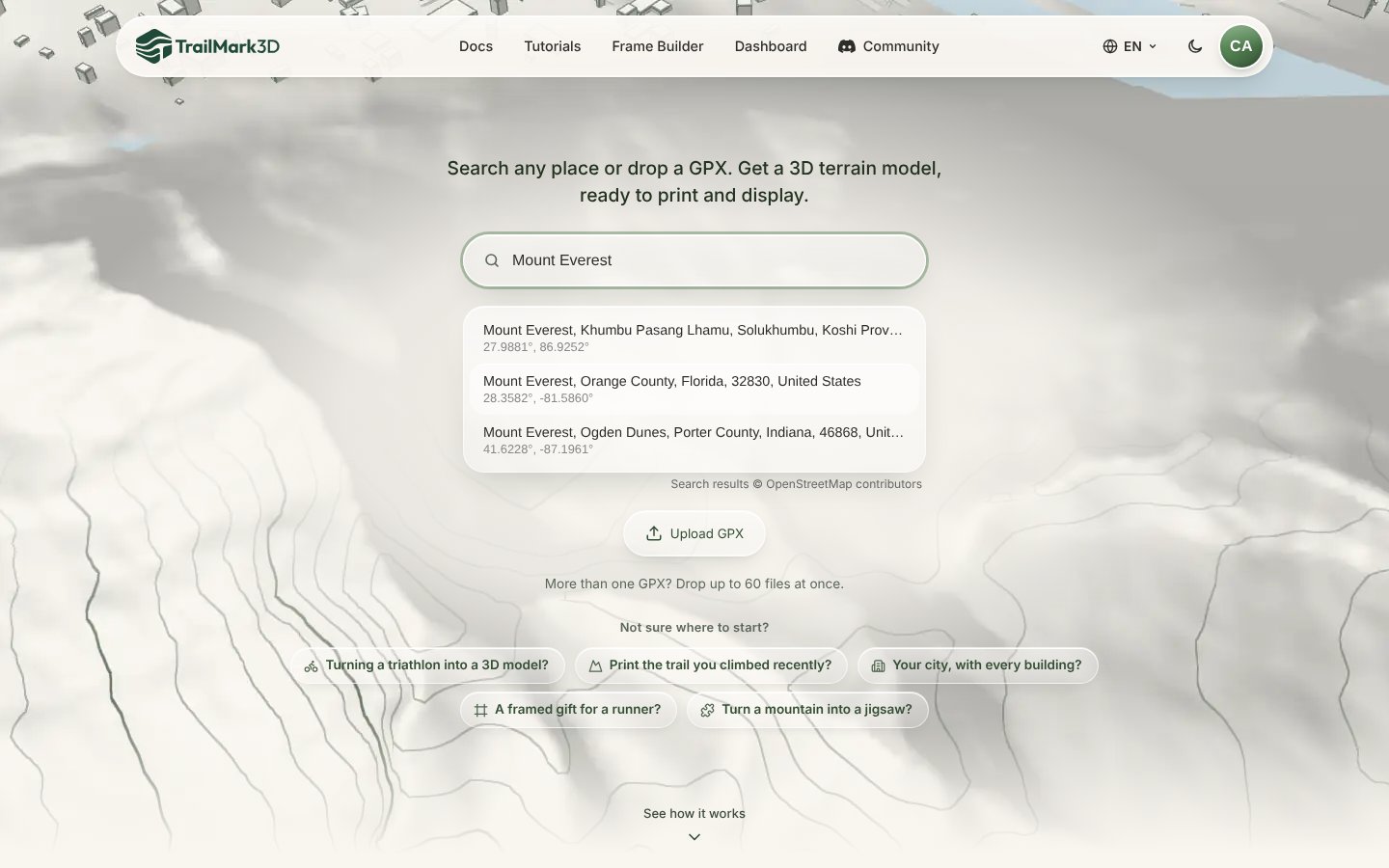
Go to the TrailMark3D home page and type the mountain's name into the search box: "Mount Everest", "Kilimanjaro", "Aconcagua". Suggestions from OpenStreetMap appear with their coordinates; pick the peak, and the workspace opens with the summit in the middle of the tile. You can also paste the summit's coordinates, such as "27.98810, 86.92500".
Frame the summit
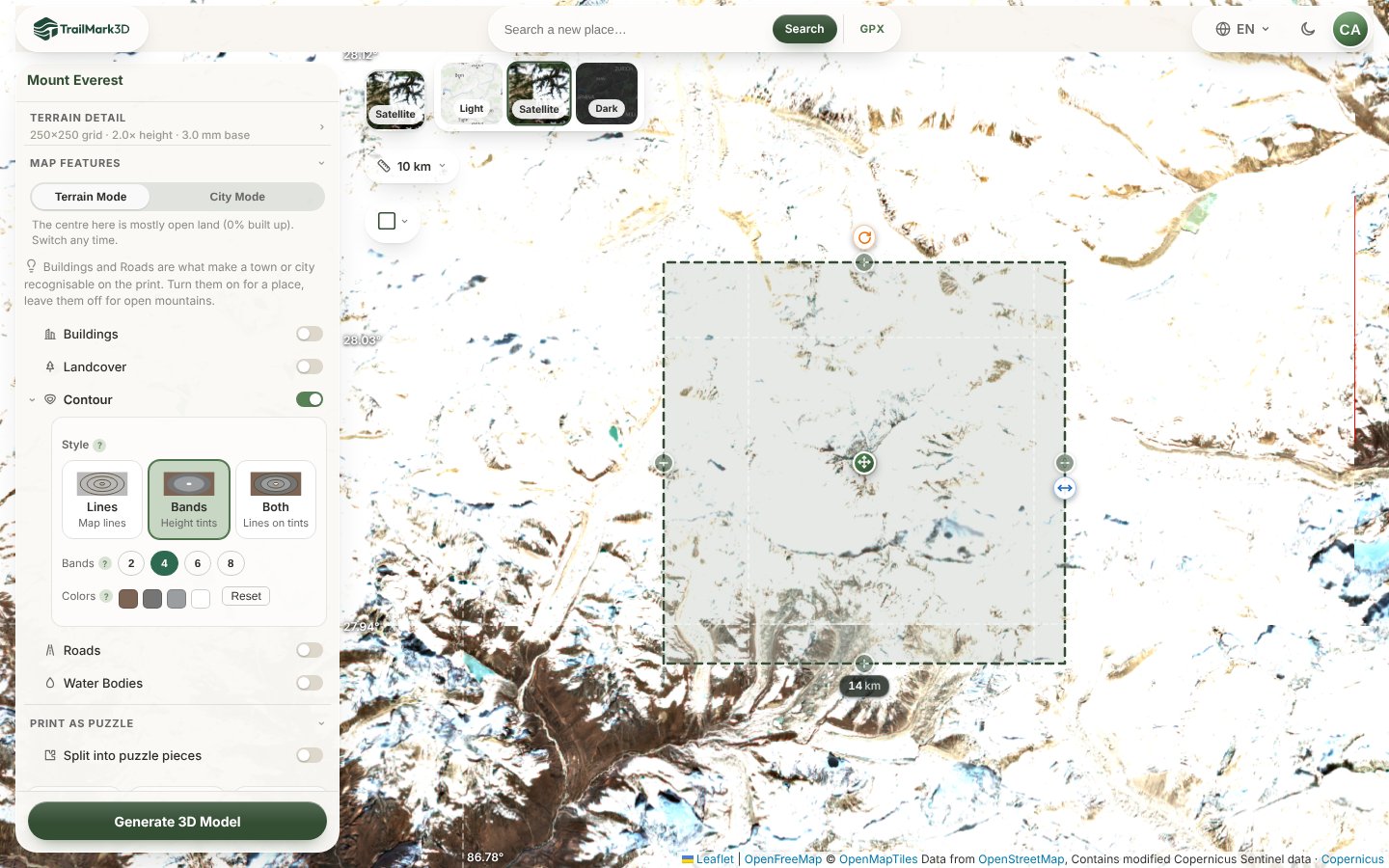
The tile sets what the model shows. Too small, and it is a cone with no context; too big, and the peak shrinks to a bump among its neighbors. A good rule is three to five times the height of the mountain above its valleys: about 14 km for Everest, which takes in Lhotse, Nuptse and the head of the Khumbu Glacier; 20 to 30 km for a lone volcano like Kilimanjaro, so its whole cone and its slopes fit. Drag the side handle to resize the tile, or click the width under it and type it. The layer button switches to satellite imagery, which shows the glaciers and the snow line.
Color the mountain by altitude
Open Map Features and switch on Contour. Pick Bands to color the model in height tints: each band is a range of altitude in its own print color. Pick 4 bands and click each swatch to set its color. Here, from the bottom up: Dark Brown for the moraines, Nardo Gray and Ash Gray for the rock, and Ivory White for the snow and ice at the top. For a model in one color, pick Lines instead, which adds topographic contour lines in a single color.
Set the relief and generate
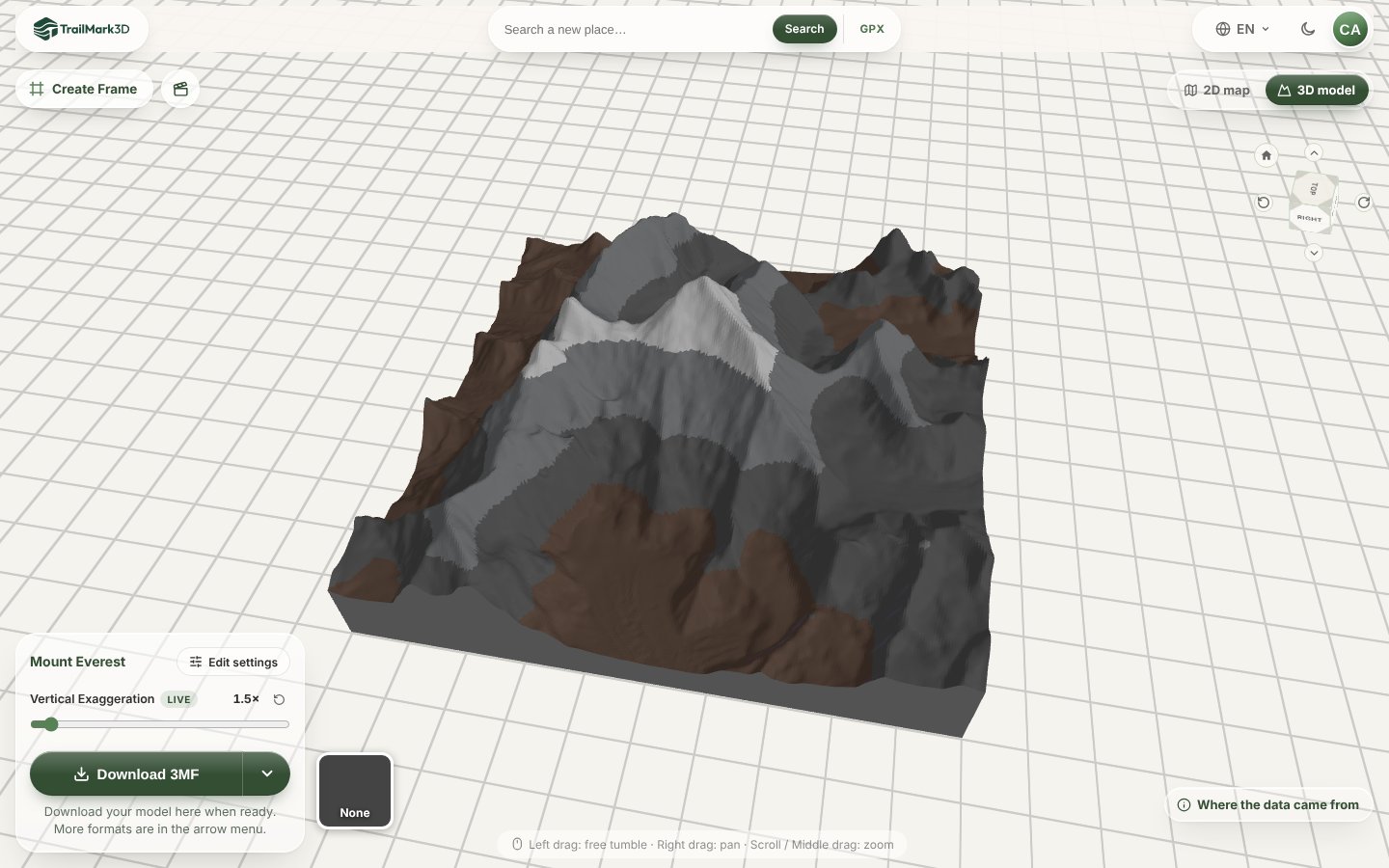
Open Terrain Detail. A high mountain already has plenty of relief, so set the Vertical Exaggeration to 1× to 1.5×: at 2× Everest looks like a needle. Lower, rounder mountains need 1.5× to 2.5×. Set the Print Size, 150 mm or more for a centerpiece, and click Generate 3D Model. The model opens in the 3D viewer in its band colors; the live Vertical Exaggeration slider there lets you compare settings before you download.
Open Terrain Detail · Open the 3D viewer
Add the name and the height, then download
Click Create Frame above the 3D viewer and add raised text to the frame: the mountain's name and its height, such as "EVEREST 8849 M", or the date you stood on top (3D printed map frame). Then click Download 3MF for a file with each band as its own part, ready for a multicolor printer, or pick STL from the arrow menu. Print flat with no supports; a 0.12 to 0.16 mm layer height brings out the ridges.
Settings for famous mountains
Each link opens the mountain in the workspace with the area in the table. The width is the side of the tile; the exaggeration is a starting point.
| Mountain | Height | Country | Width | Vertical exaggeration |
|---|---|---|---|---|
| Mount Everest | 8,849 m | Nepal, China | 14 km | 1.5× |
| K2 | 8,611 m | Pakistan, China | 14 km | 1.3× |
| Ama Dablam | 6,812 m | Nepal | 8 km | 1.2× |
| Aconcagua | 6,961 m | Argentina | 16 km | 1.5× |
| Chimborazo | 6,263 m | Ecuador | 16 km | 1.5× |
| Denali | 6,190 m | USA | 20 km | 1.3× |
| Kilimanjaro | 5,895 m | Tanzania | 24 km | 2× |
| Pico de Orizaba | 5,636 m | Mexico | 16 km | 1.5× |
| Mont Blanc | 4,806 m | France, Italy | 16 km | 1.3× |
| Matterhorn | 4,478 m | Switzerland, Italy | 8 km | 1.2× |
| Mount Rainier | 4,392 m | USA | 20 km | 1.5× |
| Mount Kinabalu | 4,095 m | Malaysia | 12 km | 1.5× |
| Jade Mountain (Yushan) | 3,952 m | Taiwan | 12 km | 1.5× |
| Mount Fuji | 3,776 m | Japan | 20 km | 1.5× |
| Aoraki / Mount Cook | 3,724 m | New Zealand | 16 km | 1.3× |
Frequently asked questions
Is it free?
Yes. With a free account you get 5 models a day, areas up to 200 km across, contour lines (they share one color, so they don't count toward your print colors), landcover in up to 2 print colors, the Frame Builder, and STL and 3MF downloads for personal use. Each altitude band is one print color on top of the terrain, so downloading a model in bands needs Pro ($10 a month) or a new account's 3-day trial; Pro also adds High resolution, satellite colors, unlimited models and commercial use. See pricing.
Is there a free Mount Everest STL?
You can make one. Search Mount Everest, click Generate 3D Model and download the STL with a free account. Unlike a fixed file from a model library, you choose the area, the size, the relief and the colors, and the elevation is real.
How accurate is the mountain?
The terrain comes from open elevation data: Mapterhorn terrain tiles, built from Copernicus and national surveys, with a few tens of meters between samples in the high mountains. On a 150 mm print of a 14 km area, each millimeter covers about 90 m, so the ridges, the faces and the main glaciers show; a single rock tower does not. Where the data came from, in the 3D viewer, lists the sources for each model.
What vertical exaggeration should I use for a mountain?
1× to 1.5× for the highest and steepest peaks, such as Everest, K2 or the Matterhorn, so they keep their true shape. 1.5× to 2.5× for broad volcanoes and lower mountains, such as Kilimanjaro or Mount Fuji, whose slopes are gentler than they look.
Can I add the route I climbed or trekked?
Yes. Upload the GPX of your trek on the home page instead of searching the mountain, such as the trail to Everest Base Camp or the Machame route on Kilimanjaro. The route is raised in its own color on the mountain. See GPX to 3D print.
Can I print a whole mountain range?
Yes. Widen the tile up to 200 km with a free account, or 500 km with Pro, and raise the Vertical Exaggeration so the peaks still stand out. For a range larger than your print bed, add tiles next to it with the tile handles (shape, size and tiles), or print it as a region.