10 3D printed map gift ideas for hikers, runners, cyclists and couples
Personalized 3D printed gift ideas for Christmas, birthdays and anniversaries: a trail, a race, a climb, a ski resort or the place you met, as a 3D map you print at home.
By Carlo ·
In short
The most personal 3D printed gift is a map of a place that matters to the person: the trail they hiked, the race they finished, the climb they rode, the ski resort they love or the street where you met. In TrailMark3D you upload their GPX or search the place, generate a 3D terrain or city map, add their name and a date on a frame, and download a 3MF that prints in color in an evening. Terrain maps, frames and puzzles are free with an account.
A 3D printed map is a gift you can't buy in a shop, because it's made from one person's story: the trail they finished, the race they ran, the town they grew up in. If you have a 3D printer, or a friend with one, you can make it in an evening. Below are ten ideas, each with a real example you can open in the app, the screenshot of what you'll get, and the tutorial that walks you through it.
Every idea starts the same way: upload a GPX file of the route, or search the place by name or coordinates on the TrailMark3D home page. You can also open the sample trail and try the controls first.
The ideas at a glance
| Who it's for | The gift | Start from | Free plan? |
|---|---|---|---|
| A hiker | Their favorite trail on a terrain map | Their GPX | Yes |
| A runner | Their race route with the finish time | The race GPX | Yes |
| A cyclist | The climb they conquered | Their ride's GPX | Yes |
| A skier | Their ski resort with every run and lift | The resort's name | Yes, in 2 colors |
| A couple | The place they met, with names and the date | Coordinates | Terrain yes, City Mode needs Pro |
| A city lover or a new homeowner | Their city or neighborhood with buildings | The city's name | Build free, download with Pro |
| A mountaineer | The peak they climbed, or dream of | The peak's name | Yes, with contour lines; altitude bands need Pro |
| A family | A puzzle of a holiday island or park | The place's name | Yes, up to 6 × 6 pieces |
| A trekker | A multi-day trip, one tile per day | One GPX per day | Pro, or each day as its own free model |
| Anyone, last minute | A 3D flyover video of their route | Their GPX | Pro or the 3-day trial |
For a hiker: their favorite trail on a 3D map
Ask for the GPX of the hike, or export it yourself if you hiked it together (here's how to export a GPX from Strava, Garmin or Komoot). TrailMark3D builds the real terrain around the route, raises the trail in its own color, and adds lakes and rivers. A classic like the W Trek in Torres del Paine or a local loop both work. Follow GPX to STL or 3MF for the full walkthrough.
Open Trail Settings on the sample trail
For a runner: the race route with their finish time
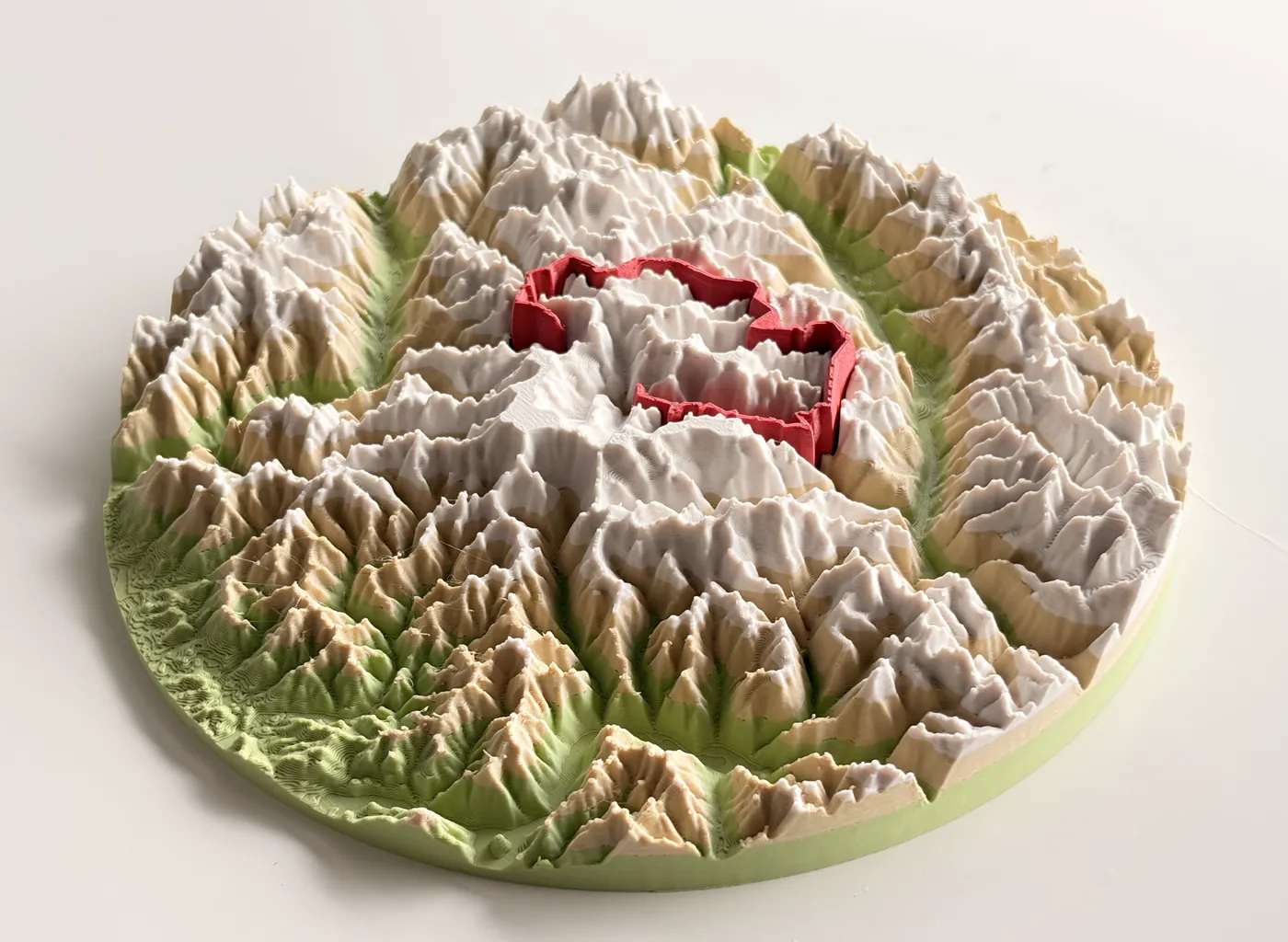
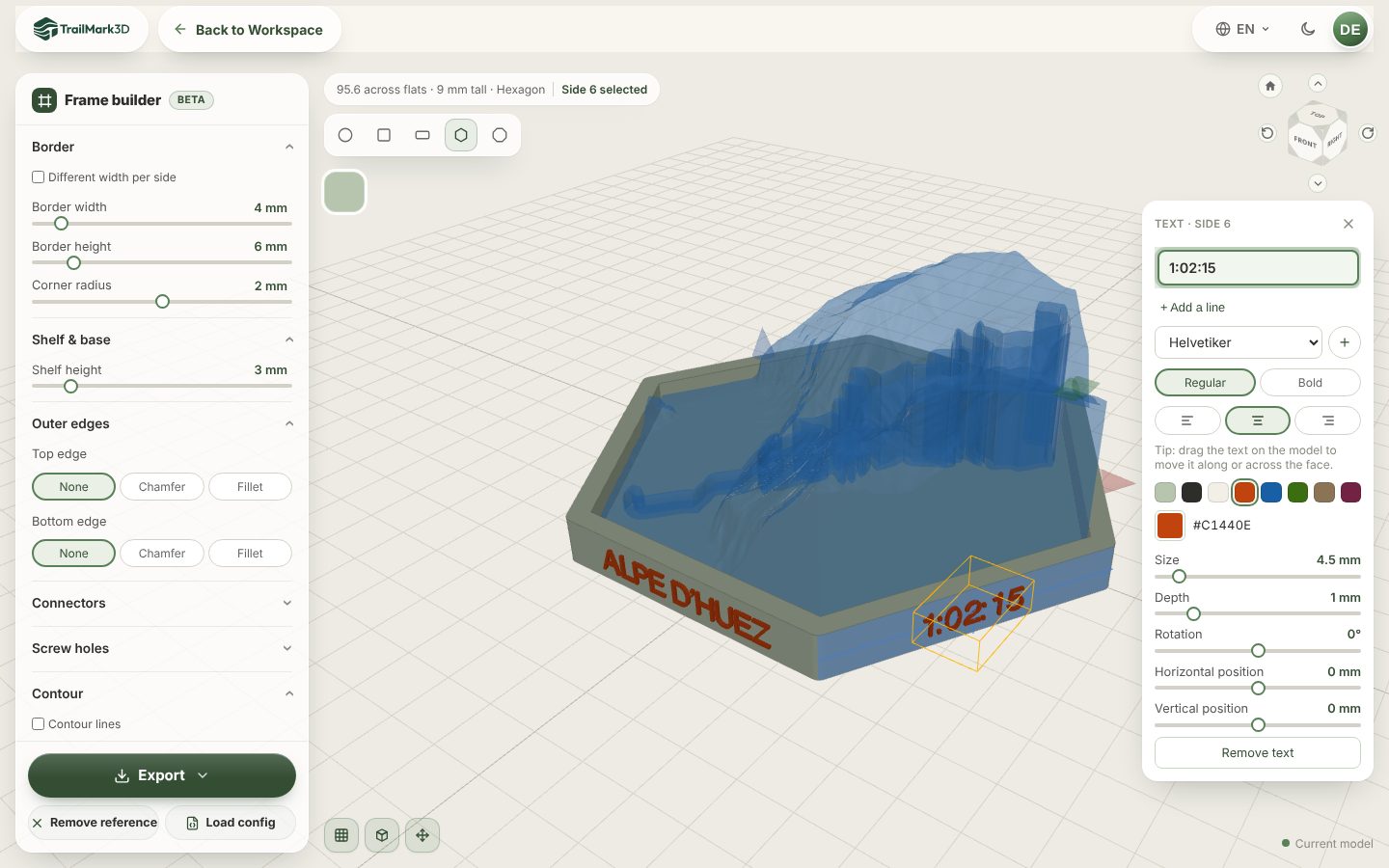
A marathon, a trail race or a triathlon becomes a finisher gift: the course raised in the race color, and the race name, the date and the finish time on the frame. Get the GPX from their watch or from the race website, then follow the race route finisher gift tutorial. For a flat city marathon, add the streets with City Mode so the course still stands out.
For a cyclist: the climb they conquered
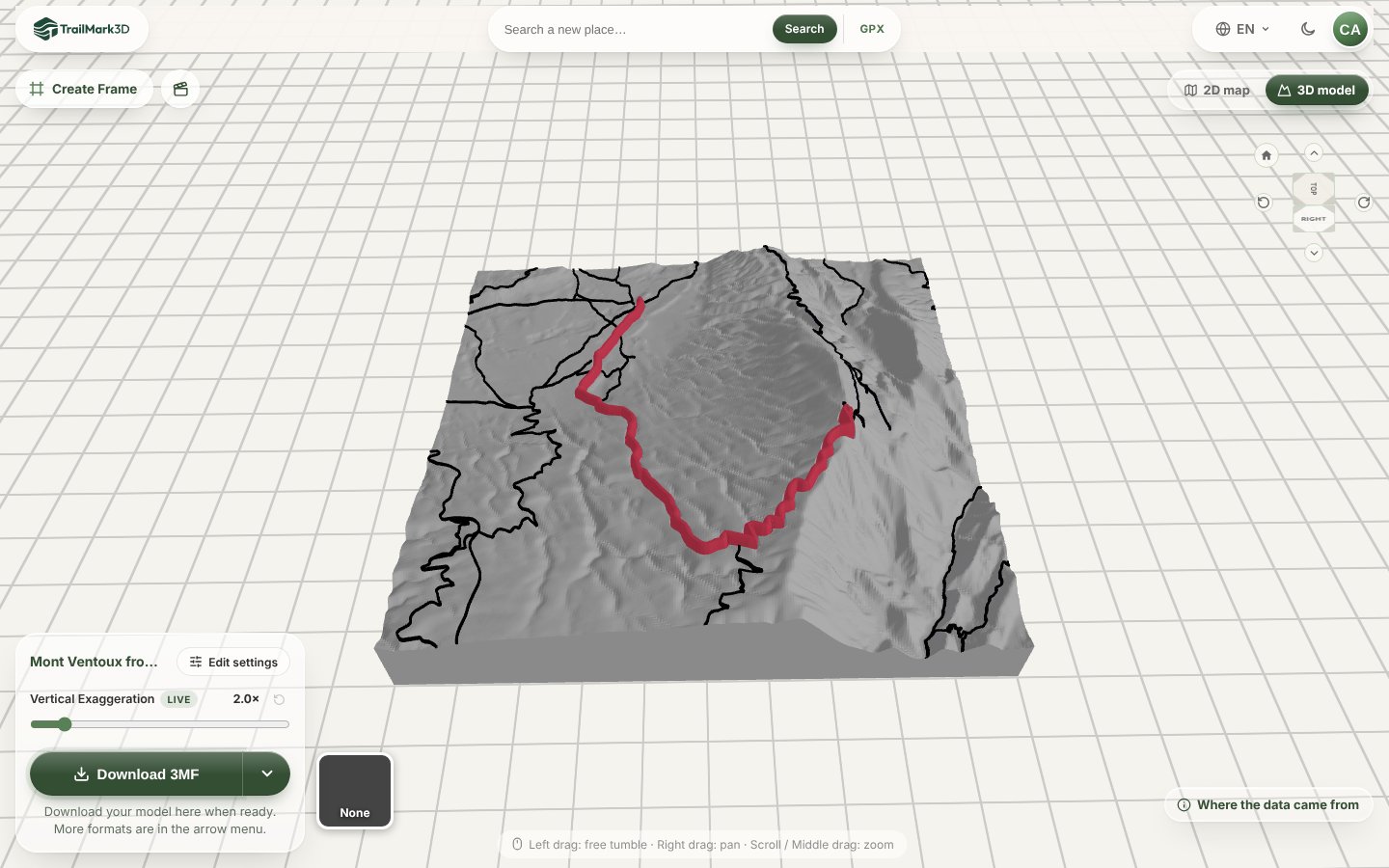
Every cyclist has a climb they're proud of. Upload the ride, or plan the climb in a route planner and export the GPX, and the hairpins come out in 3D. Mont Ventoux from Bédoin is the example in the cycling climb tutorial; the Stelvio, Alpe d'Huez or their local hill work the same way.
For a skier: their ski resort with every run and lift
Search the resort, and TrailMark3D draws the ski runs and lifts from OpenStreetMap on the mountain, with each run in its grade color. It's the trail map from the lift station, but in 3D. The ski resort 3D map tutorial uses St. Moritz. On the free plan, give every run the same color and the map prints in 2 colors.
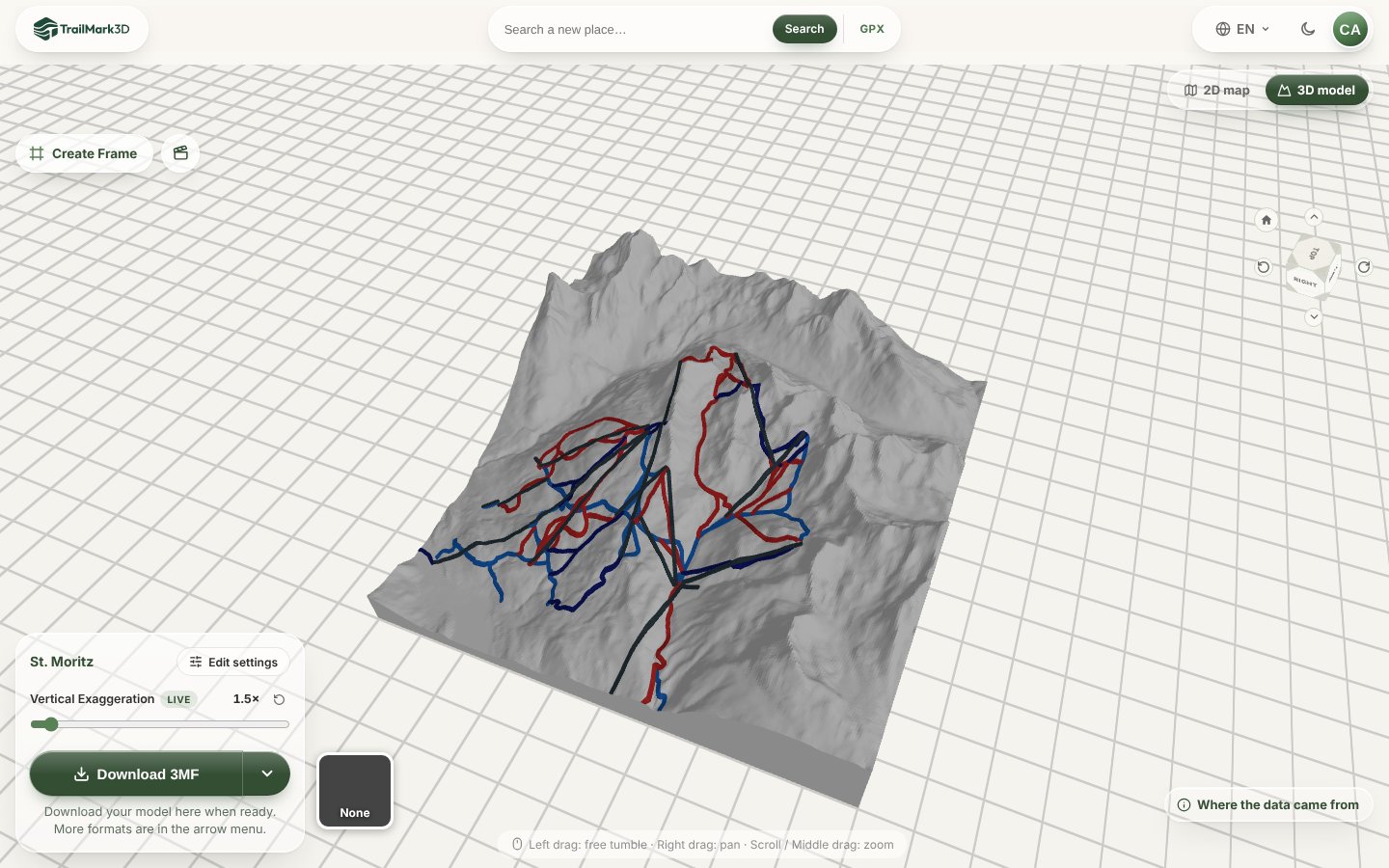
Open Map Features, where the ski runs are
For a couple: the place where you met
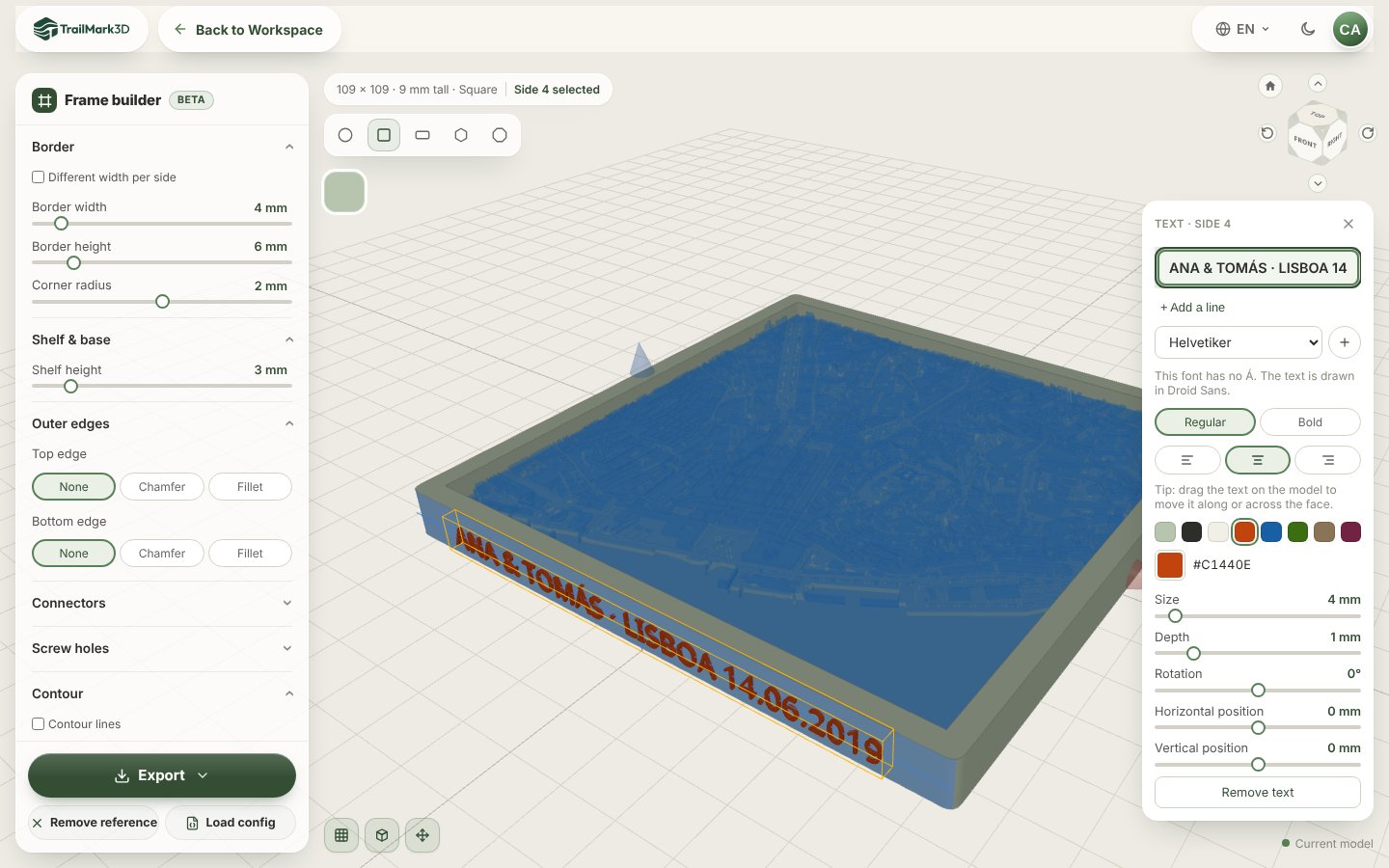
For an anniversary, a wedding or Valentine's Day, print the street, the beach or the summit where it started, and put both names and the date on the frame. Paste the coordinates from Google Maps into the search box, and pick City Mode for a city or Terrain Mode for a beach or a mountain. The where we met tutorial makes one of Alfama in Lisbon.
For a city lover or a new home: their neighborhood in 3D
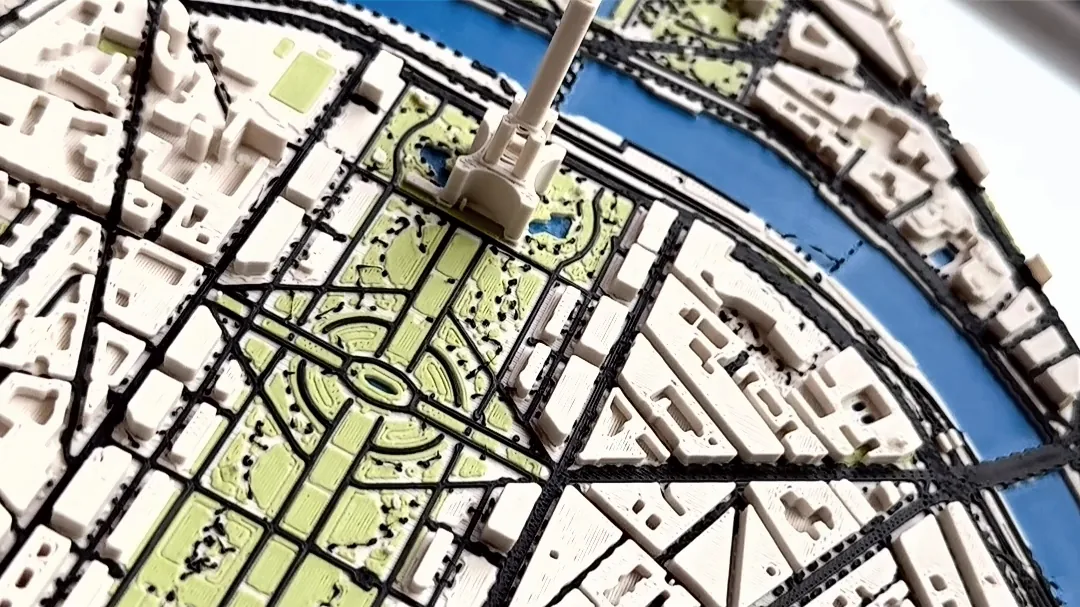
A city map with every building, street and river makes a housewarming gift, or a souvenir of a city someone loves. Search the neighborhood, switch on City Mode and pick a color preset. See the 3D print city map tutorial. City Mode is free to build and preview; downloading it needs Pro, or a new account's first 3 days.
For a mountaineer: the peak they climbed
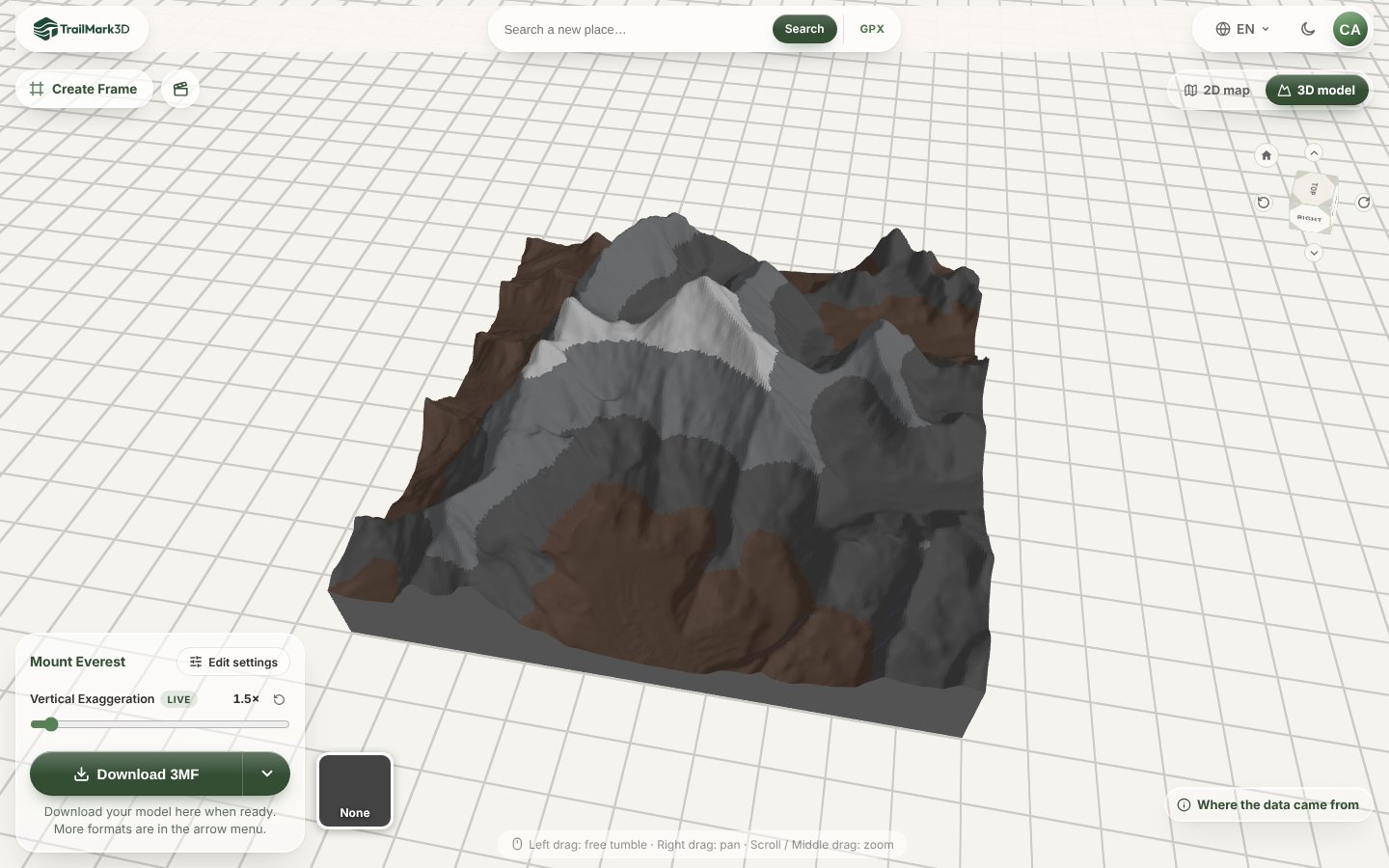
A summit is a gift for someone who stood on it, or who dreams of it. Search Kilimanjaro, Mont Blanc or their home mountain, and add contour lines, free, or color it in altitude bands so the snow line shows, which needs Pro or a new account's 3-day trial. The 3D printed mountain model tutorial makes Everest.
Open Print Detail on the sample trail
For a family: a jigsaw puzzle of a holiday place
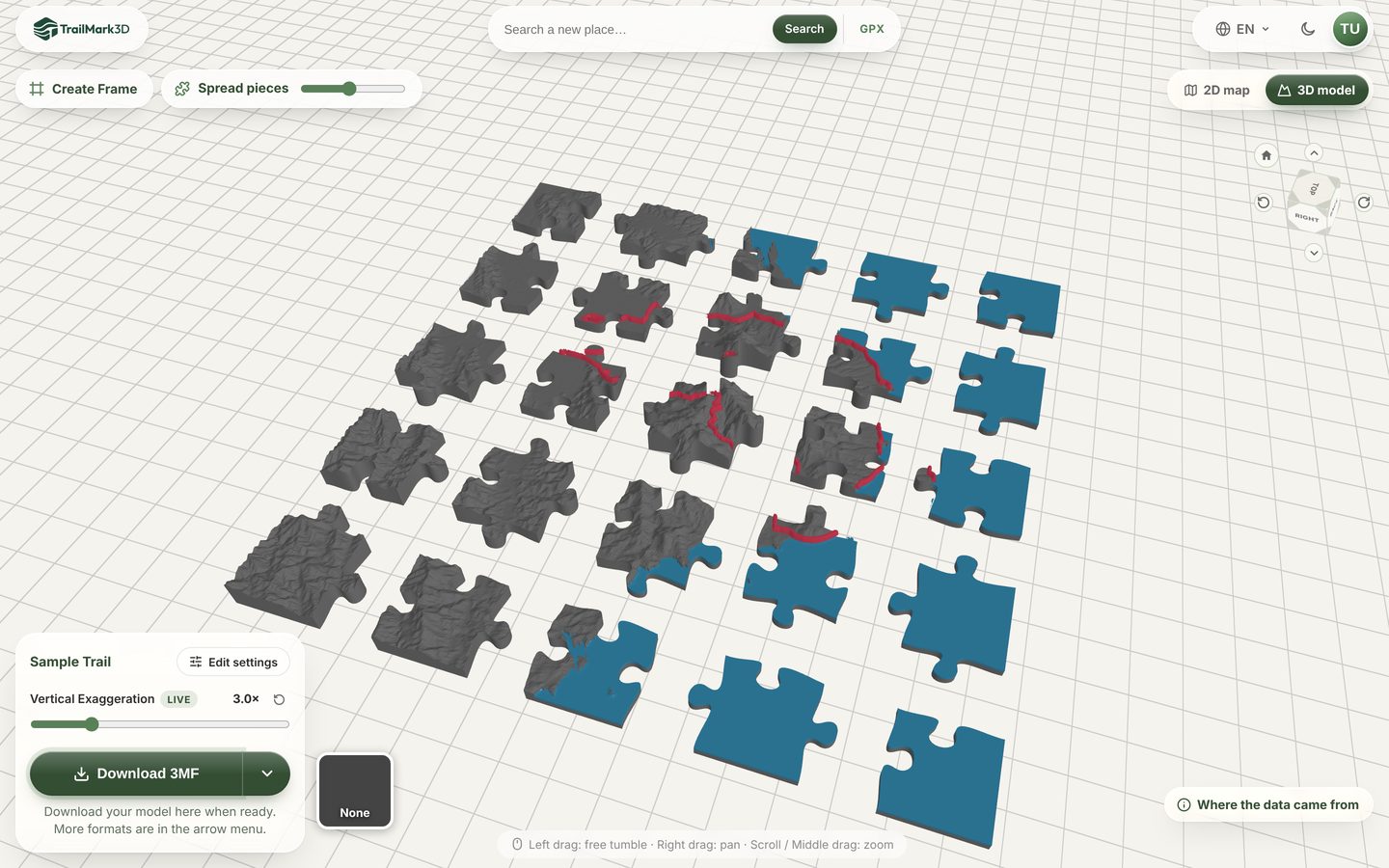
Turn the island of last summer's holiday or a favorite national park into a topographic jigsaw. Switch on Split into puzzle pieces and pick the number of pieces: a free account cuts up to 6 × 6. The map puzzle tutorial shows every setting, and national park maps has examples from the Grand Canyon to Teide.
Open Print as Puzzle on the sample trail
For a trekker: every day of a multi-day trip
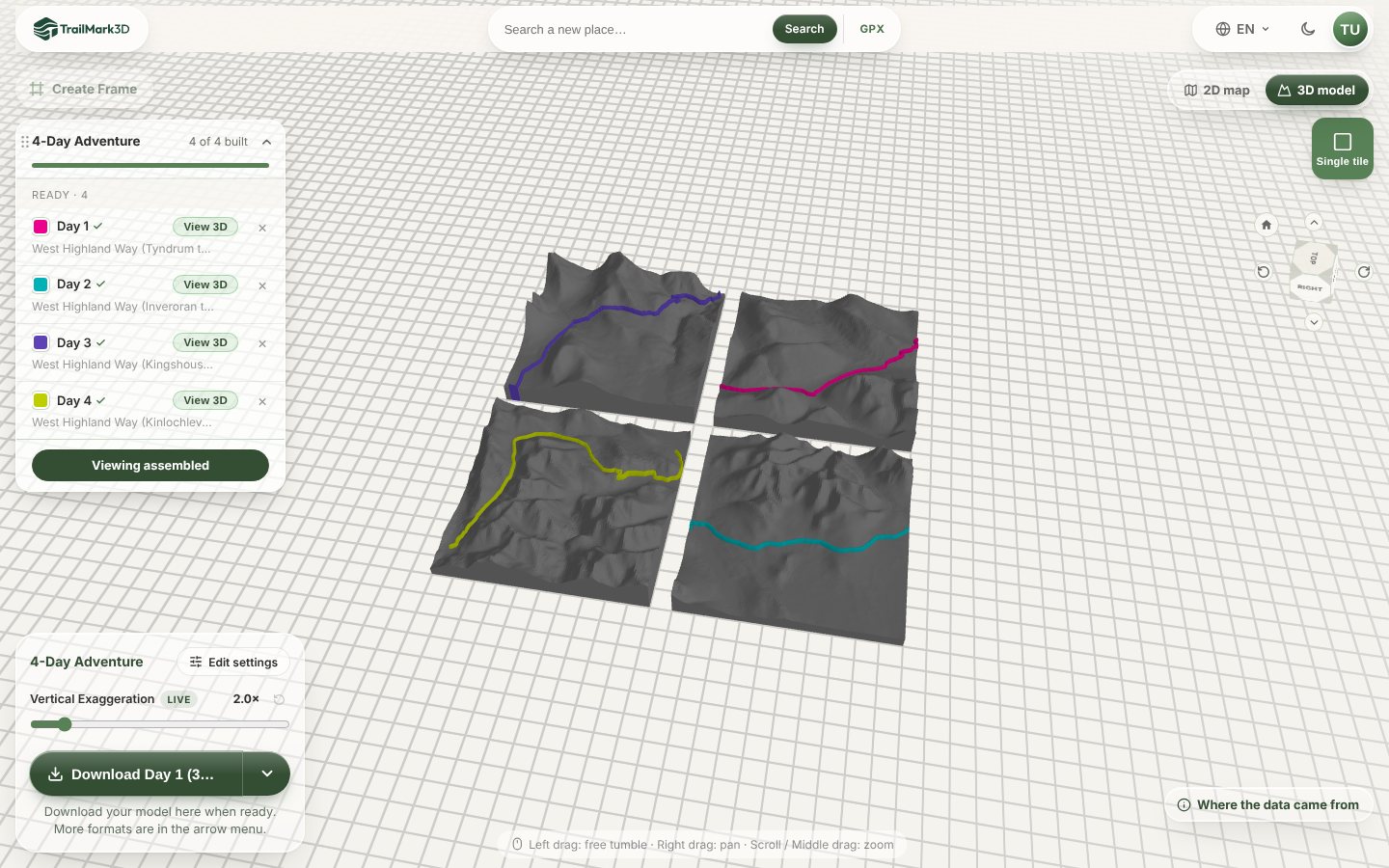
For someone back from a long trek, print each day as its own tile and line them up on a shelf, or join them with the frame's connectors. Select all the GPX files at once on the home page, one per day, and pick A model per day. The multi-day hike tutorial uses the West Highland Way in Scotland. Multi-day trips need Pro (up to 7 days) or Pro Plus (up to 60 days, with a trail color per day); on the free plan, make each day as a separate model.
For anyone, at the last minute: a 3D flyover video
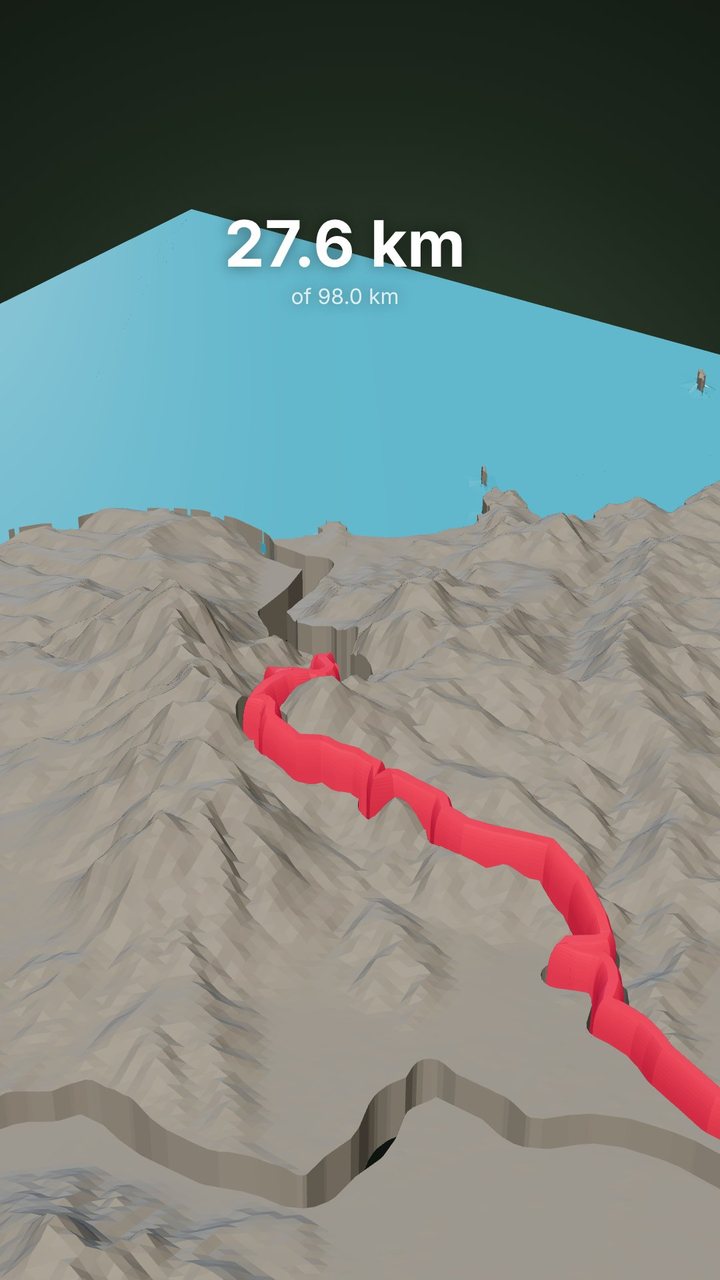
No time to print? Make a 13-second flyover video of their route over the 3D terrain, as an MP4 for their phone, and give the print later. Generate the model, then click Create a Reel in the 3D viewer. See flyover video. The video comes with Pro and with the 3-day trial of every new account.
Make it a gift: names, a date and a frame
Whatever the map, the frame is what makes it a present. After you generate the model, click Create Frame, pick a shape, and click a face of the frame to add raised text: a name, a date, a finish time or the coordinates. In the 3MF the text is its own part, so it prints in its own color. The Frame Builder tutorial has every option.
Then download the 3MF, open it in your slicer and print it flat, with no supports. STL vs 3MF explains which file to pick, and Bambu Studio shows how to print the colors on an AMS.
How long it takes, for a gift on time
- Making the model: 10 to 20 minutes, including the frame text.
- Printing: a 100 to 150 mm map and its frame print in an evening on most printers. A larger wall piece, or a puzzle with many pieces, can take a day.
- No printer? Send the 3MF or STL to a friend with a printer or to a local 3D printing service. The 3MF keeps the colors.
So you can still make one a few days before Christmas, a birthday or an anniversary.
Frequently asked questions
Is it free?
Yes, for most of these ideas. With a free account you get 5 models a day, terrain maps with the trail in its own color, the Frame Builder with raised text, puzzles up to 6 × 6 pieces, and STL and 3MF downloads for personal use, in up to 2 print colors. Pro ($10 a month) adds City Mode downloads, more print colors, satellite colors, multi-day trips, the flyover video and commercial use. Every new account gets City Mode, more print colors, satellite colors and the flyover video for its first 3 days; multi-day trips stay Pro. See pricing.
What's a good 3D printed gift for a hiker?
A 3D map of a trail they hiked, made from their GPX, with the trail raised in its own color and the name of the hike on the frame. It's personal, it looks like the place, and it prints in an evening.
Can I make a 3D printed map gift without a GPX file?
Yes. Search the place by name or paste its coordinates on the home page. That works for a town, a beach, a mountain, a ski resort or a national park, with no route needed.
Can I put a name, a date or a message on it?
Yes. Click Create Frame after you generate the model and add raised text to any face of the frame, with up to two lines per text block. In the 3MF the text is its own part, so it prints in its own color.
What size should a 3D printed map gift be?
100 to 150 mm across fits on a desk or a shelf and prints in an evening. For a wall piece, go to 200 mm or more. For a city, keep the area about 1 to 3 km across so each street still prints as a street.
Can I order it printed instead of printing it myself?
TrailMark3D makes the 3D file, and you print it on your own printer, or send the STL or 3MF to a friend with a printer or a local 3D printing service. The 3MF keeps the colors, so a multicolor printer prints it as it looks in the viewer.
Can I sell 3D printed maps as gifts?
Selling prints needs Pro, which includes commercial use. The free plan is for personal use, which includes prints you give away as gifts.